PathfinderPrototyping · St. Paul MN

Web design · Stream Deck plugin

Bootstrap Studio Deck

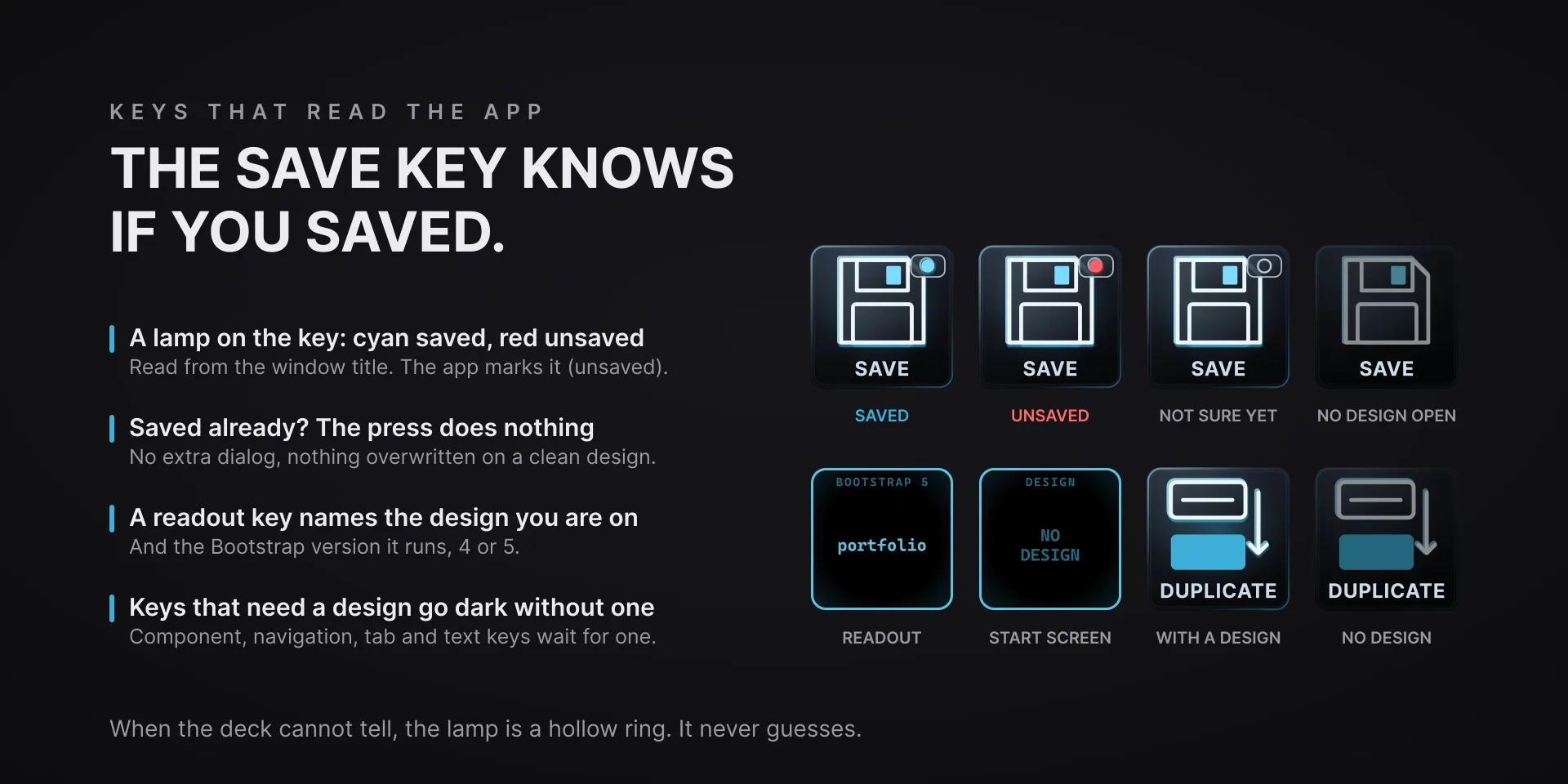
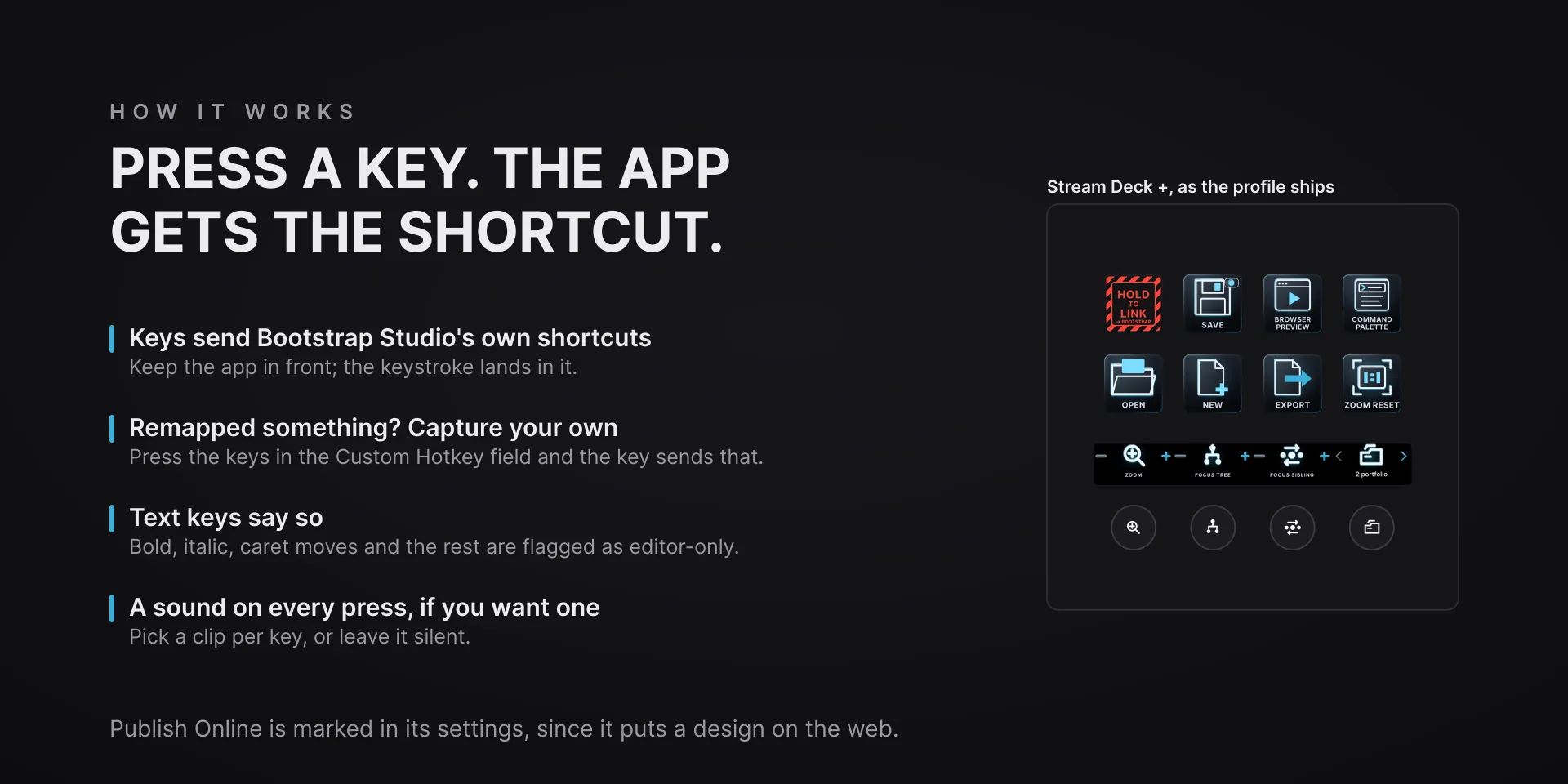
Most keys send Bootstrap Studio's own published shortcuts. The save key does more: it reads the (unsaved) marker the app puts in the window title, shows a cyan lamp when the design is saved and red when it is not, and when nothing is unsaved the press does nothing, so a stray tap never re-saves. Keys that need an open design go dark on the start screen.

Download Now

On the Elgato Marketplace

What it does

What you need

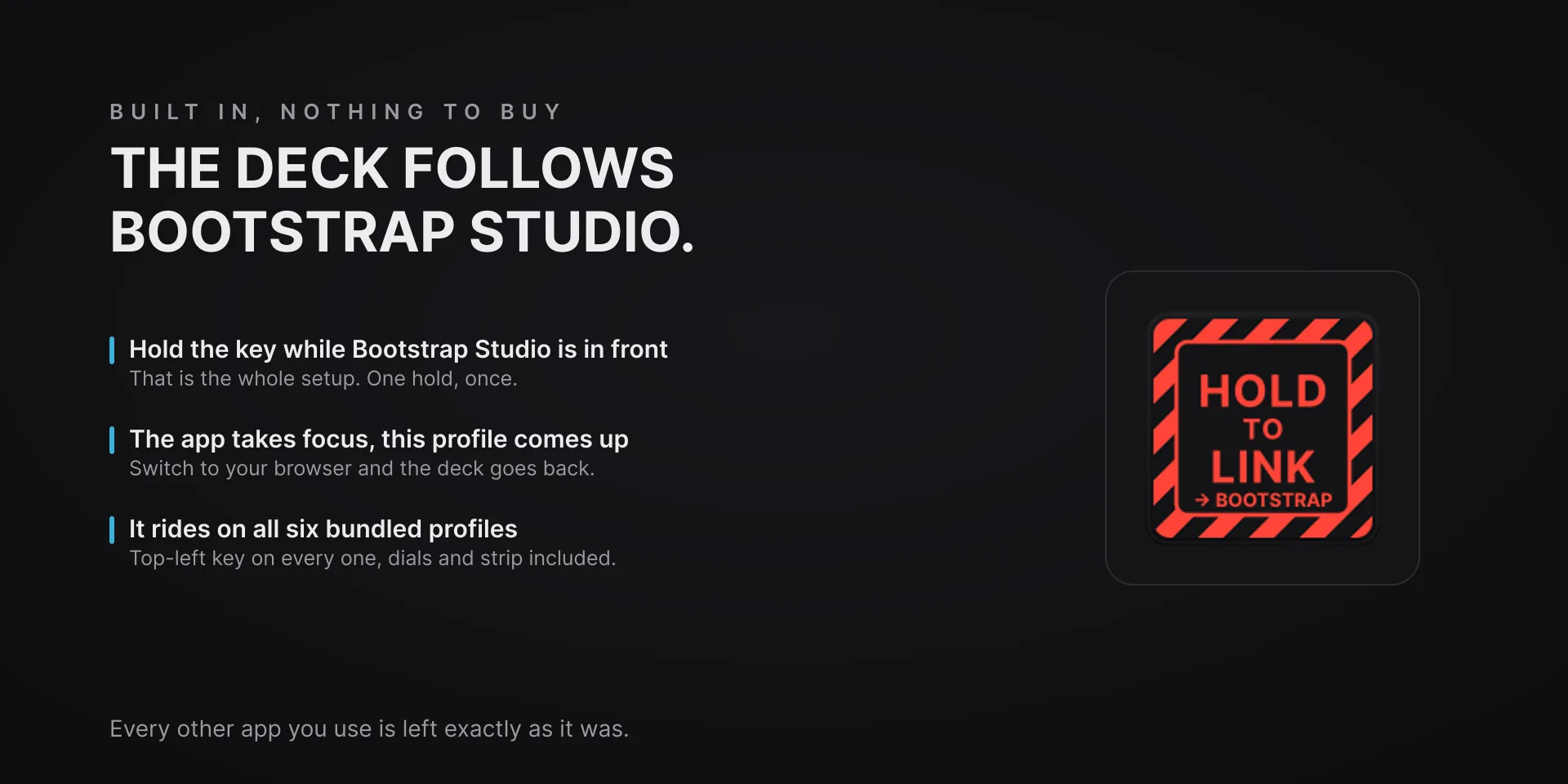
Windows 10 or later, Stream Deck software 6.9 or newer, and Bootstrap Studio 8; the command set is verified against Bootstrap Studio 8.0.1. Keystrokes go to the focused window, so keep Bootstrap Studio in front.

Support

Good to know

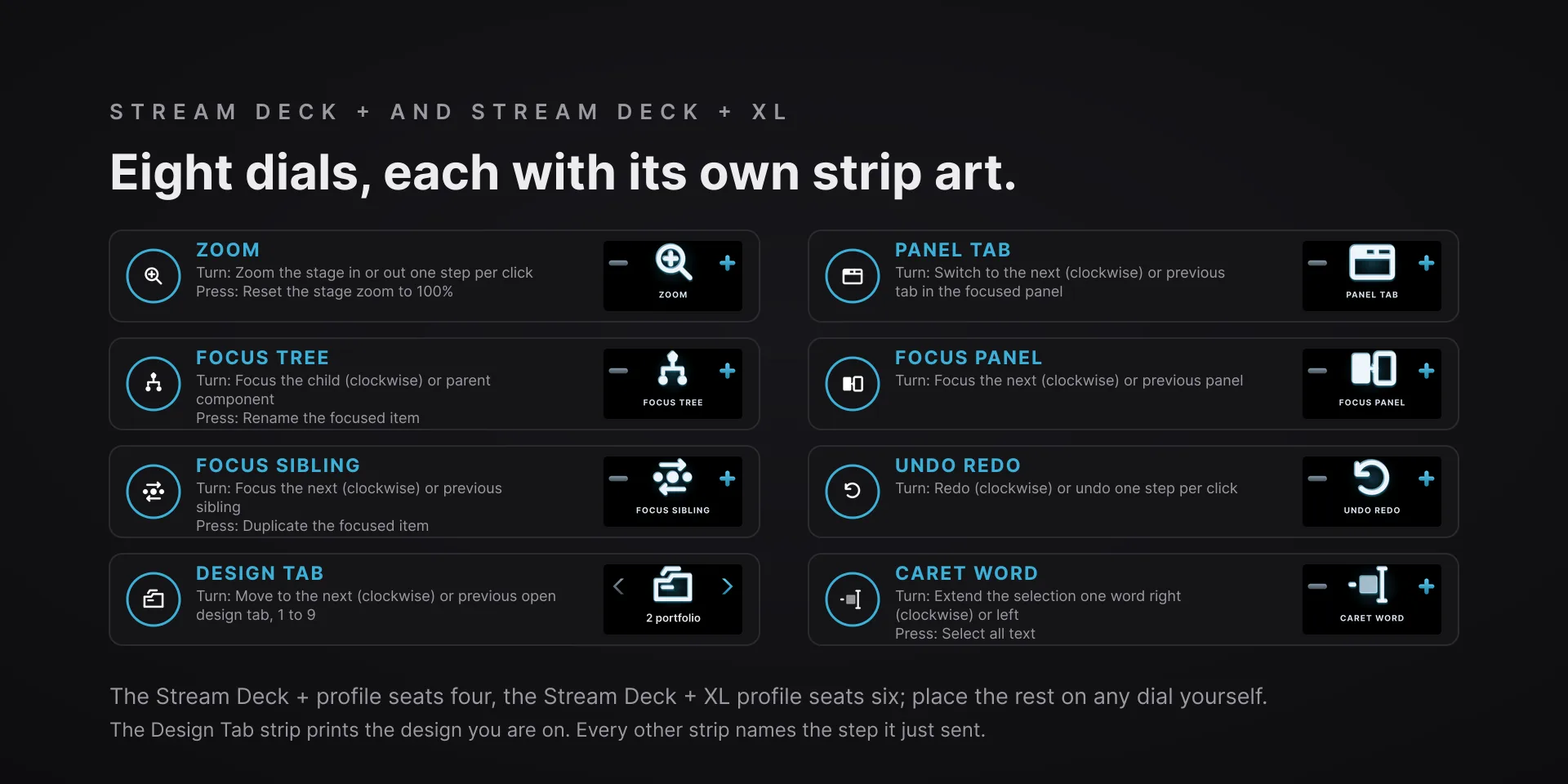
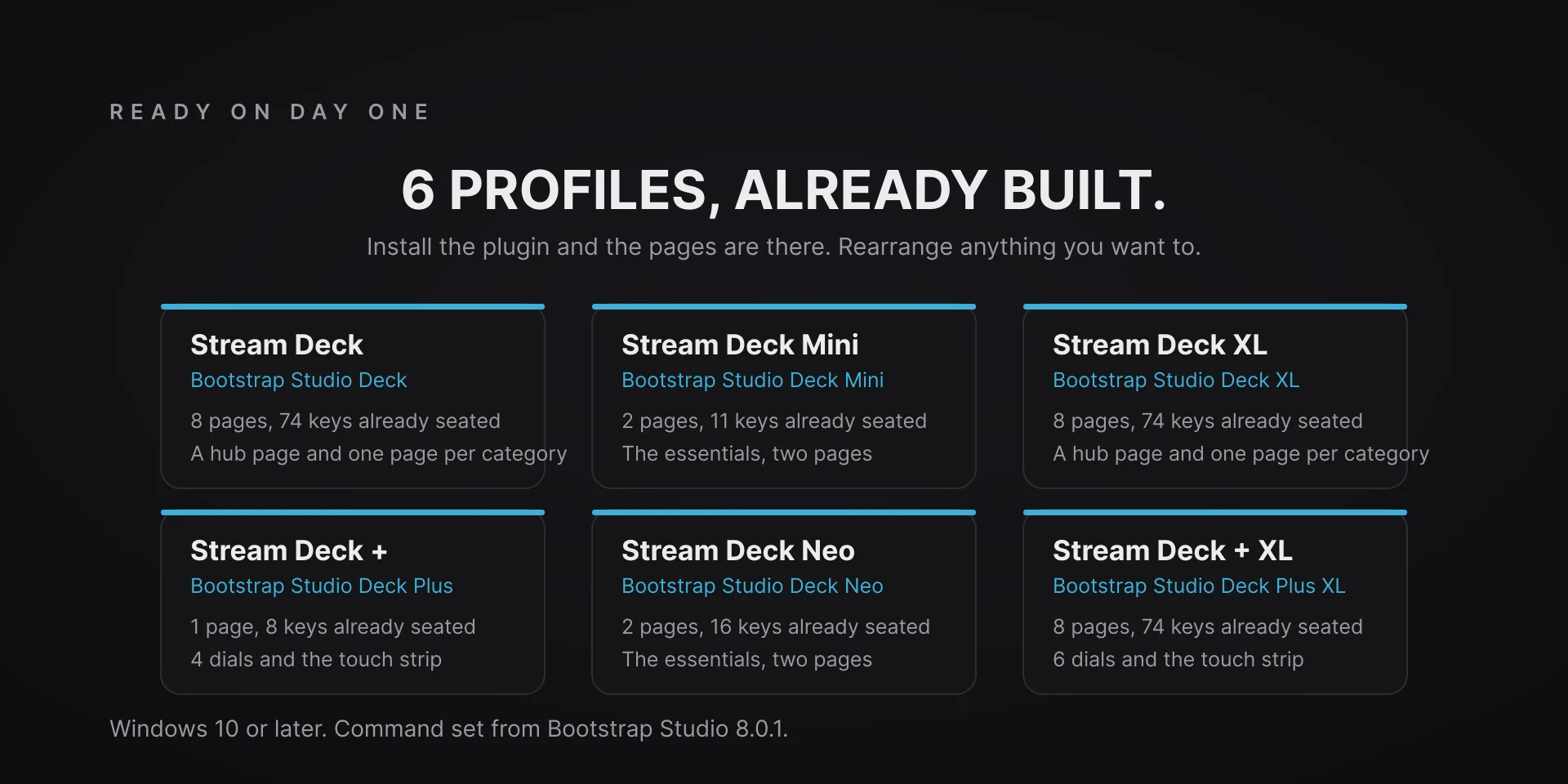
  • Bootstrap Studio 8 on Windows 10 or later, with the command set verified against Bootstrap Studio 8.0.1, and Stream Deck software 6.9 or newer. Profiles are bundled for six decks: the 15-key Stream Deck, the Stream Deck +, the Stream Deck + XL, the 32-key Stream Deck XL, the Stream Deck Mini and the Stream Deck Neo.
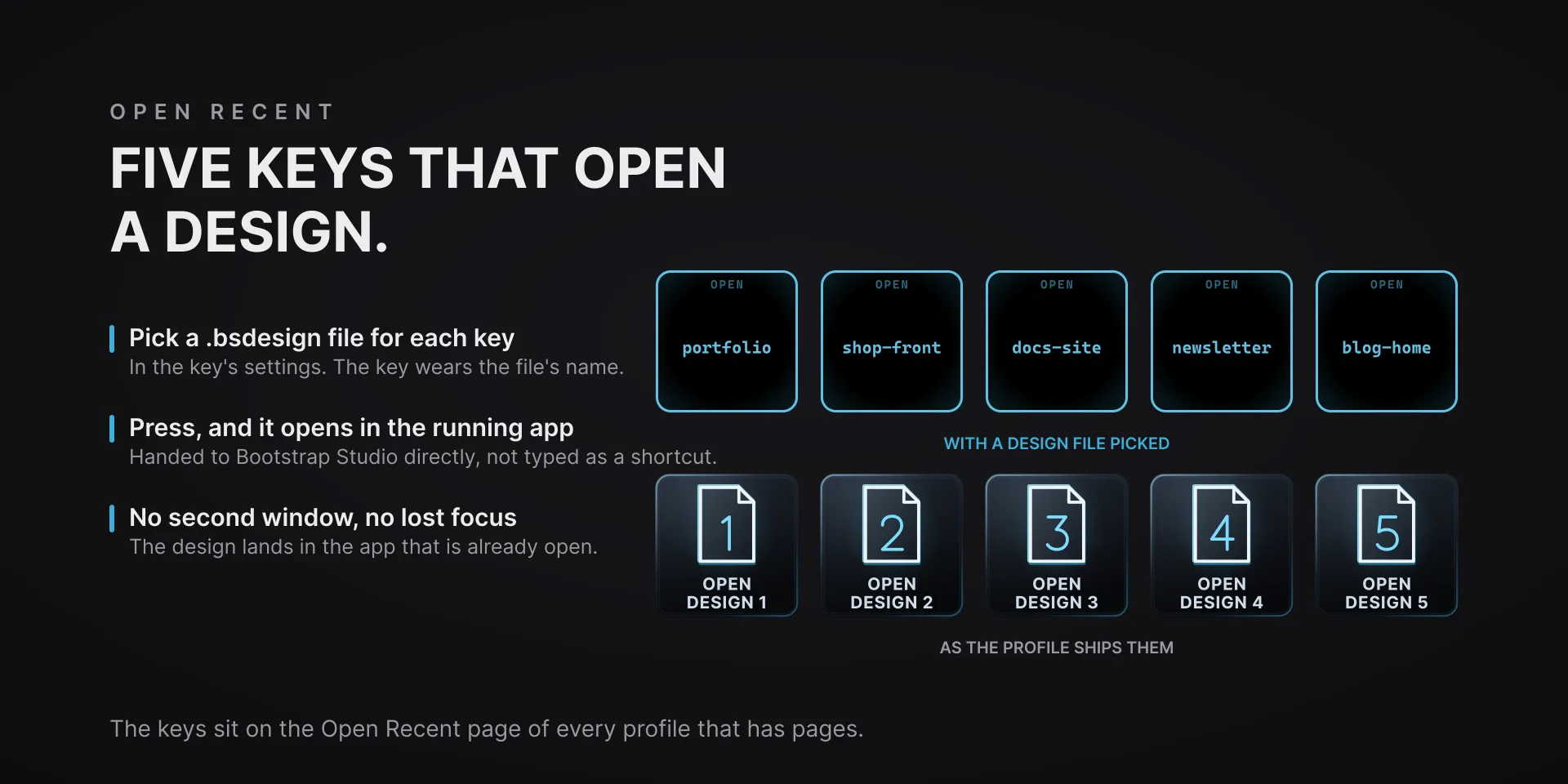
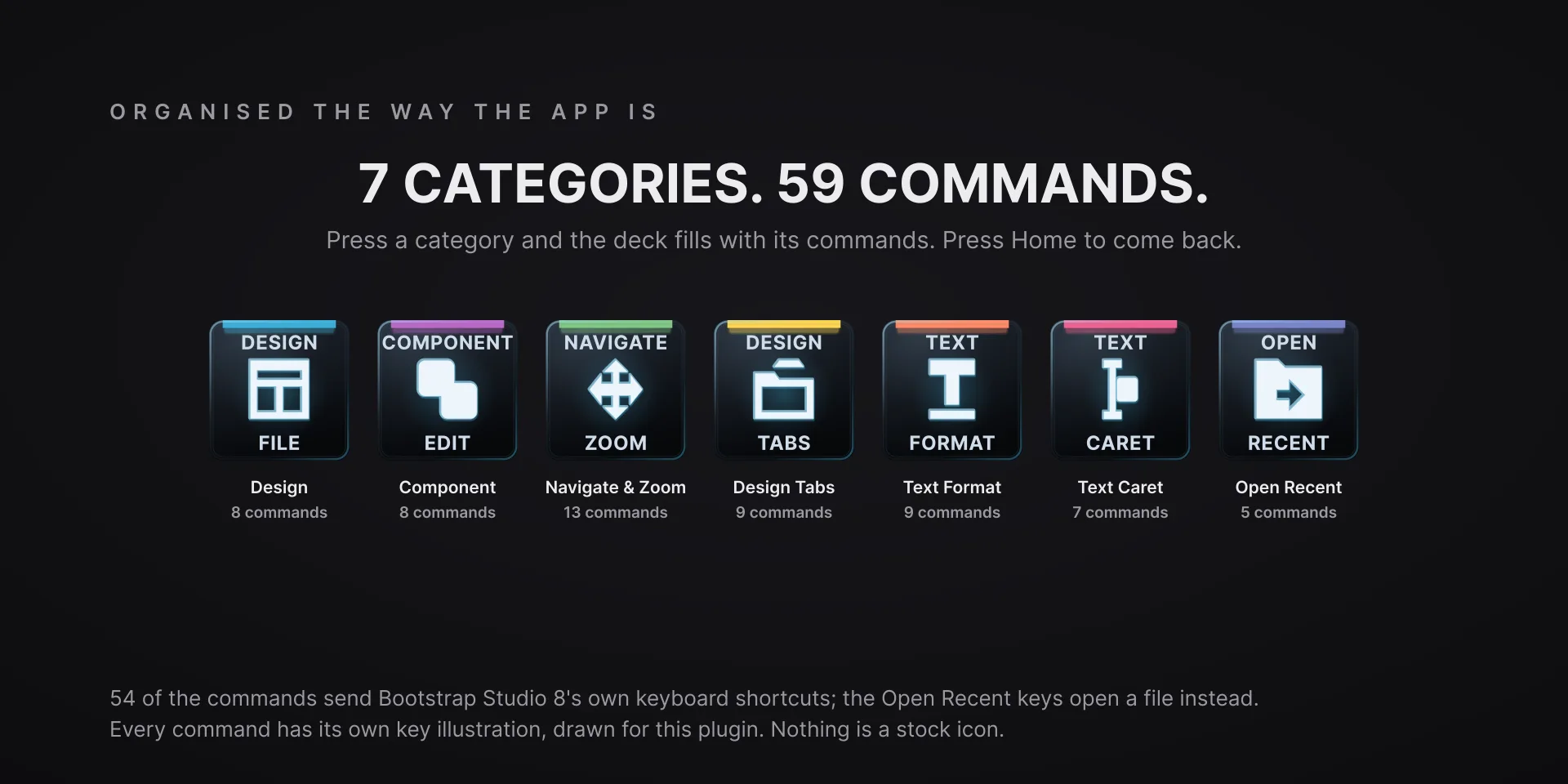
  • Keystrokes go to the focused window, so keep Bootstrap Studio in front. Fifty-four of the 59 commands send the app's published keyboard shortcuts. The five Open Recent keys are the exception: each hands its .bsdesign file to the running Bootstrap Studio directly rather than typing, so nothing opens a second window or steals focus.
  • The save key reads the window title, which the app marks (unsaved): a cyan lamp means saved, red means unsaved, and a hollow ring means the deck cannot tell yet. When nothing is unsaved, the press does nothing. The Design Readout key says NO DESIGN on the start screen and NOT RUNNING when the app is closed, and keys that need a design go dark on the start screen.
  • Text Format and Text Caret commands act inside Bootstrap Studio's rich-text editor and are flagged editor-only in their settings. Outside the editor the same shortcut can mean something else (Ctrl+I is Italic there and Browser Preview elsewhere), and the plugin cannot see whether the editor is open; the Caret Word dial does nothing outside the editor either. Publish Online is marked in its settings because it puts a design on the web.
  • The Zoom and Undo Redo strips show the last step sent, not the app's zoom level or its undo stack. The Design Tab dial keeps its own tab index, 1 to 9, and sends Ctrl and that number once you stop turning; its strip shows the index and the design name the window title reports.
  • Remapped a shortcut in Bootstrap Studio? Capture any combination in the Custom Hotkey field and the key sends that instead.
  • Nothing here talks to the internet.

True of every plugin we make

  • Every key carries the app's own shortcut for that command, and every key is remappable. Type your combination into the key's property inspector (its settings panel in the Stream Deck app) or click Capture and press it once. Where an app leaves a command unbound, the key still reaches it by the route that app exposes.
  • Keystrokes go to the front window and nothing steals focus, so keep the target app in front when you press.
  • Every command has its own drawn key art, so the deck reads at a glance instead of listing shortcuts.

Read the full quick fixes, or see this plugin on the support hub.

Still stuck? Email [email protected] with the plugin name, your Stream Deck software version, and what you pressed versus what happened. A human answers.