PathfinderPrototyping · St. Paul MN

Photo editing · Stream Deck plugin

DxO PhotoLab Complete

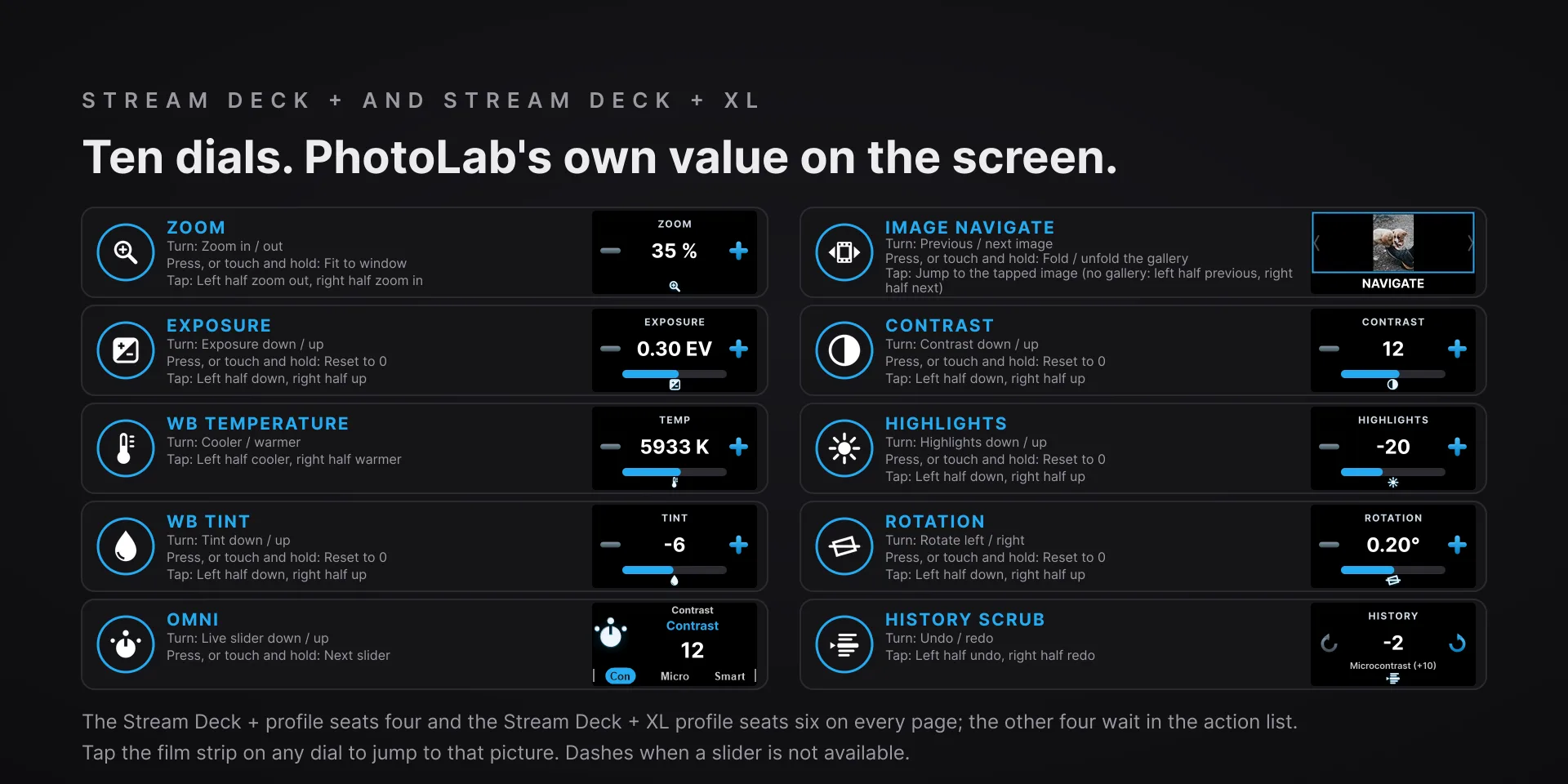
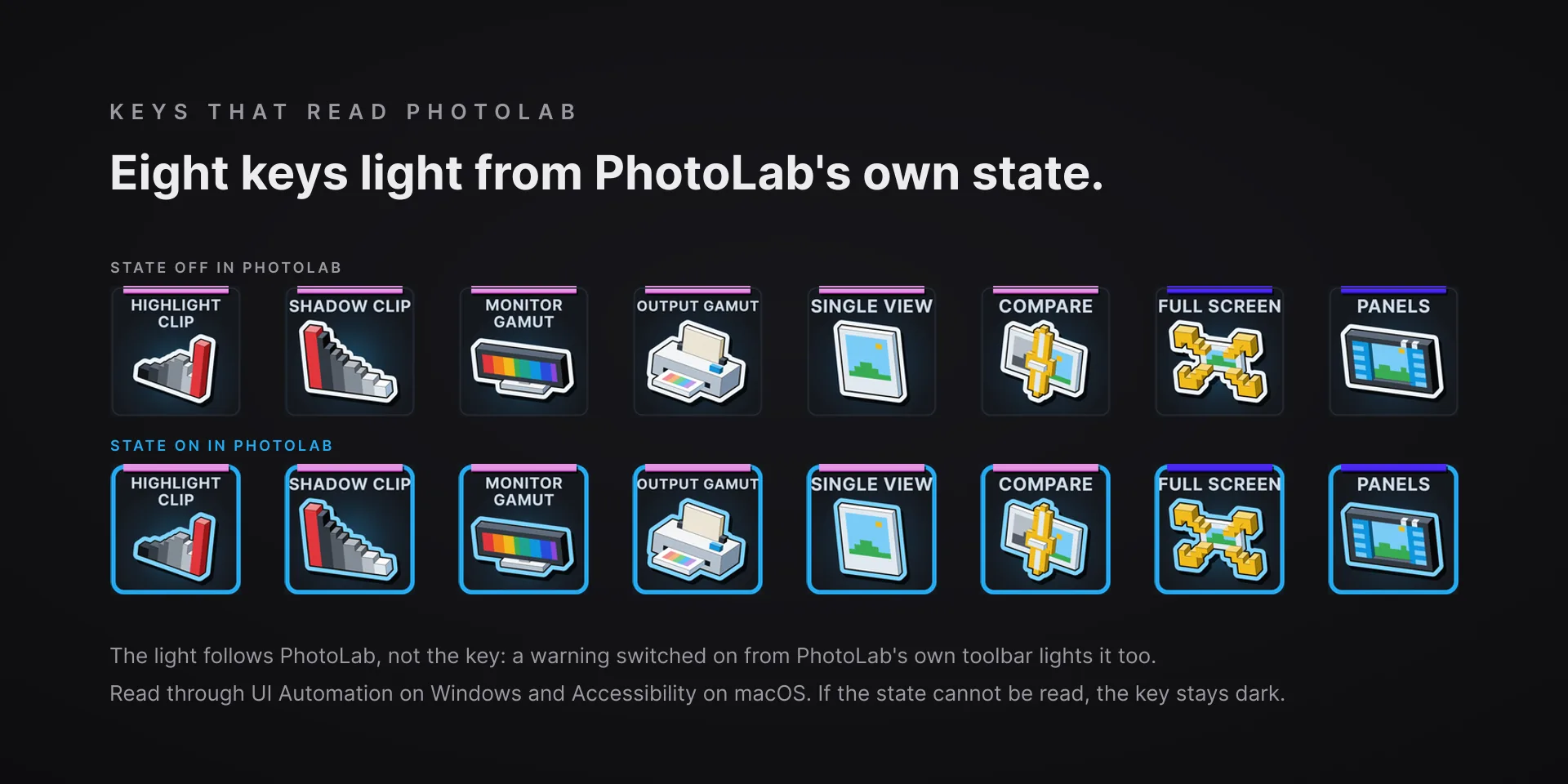
The slider dials move PhotoLab's own sliders instead of sending shortcuts, so the touch strip prints the value PhotoLab actually holds and every change is one undo step. Eight keys light only while PhotoLab really shows that state, even one you switched on from its own toolbar.

Download Now

On the Elgato Marketplace

What it does

What you need

DxO PhotoLab 10.1, English-language, on Windows 10 or newer or on macOS 15 or newer (PhotoLab 10.1 for macOS itself needs macOS 15.7), and Stream Deck software 7.1 or newer. Tested against PhotoLab 10.1 Elite on Windows and PhotoLab 10.1 on an Apple silicon Mac. Dials and the touch strip need a Stream Deck + or a Stream Deck + XL; every key works on any Stream Deck model.

Support

Good to know

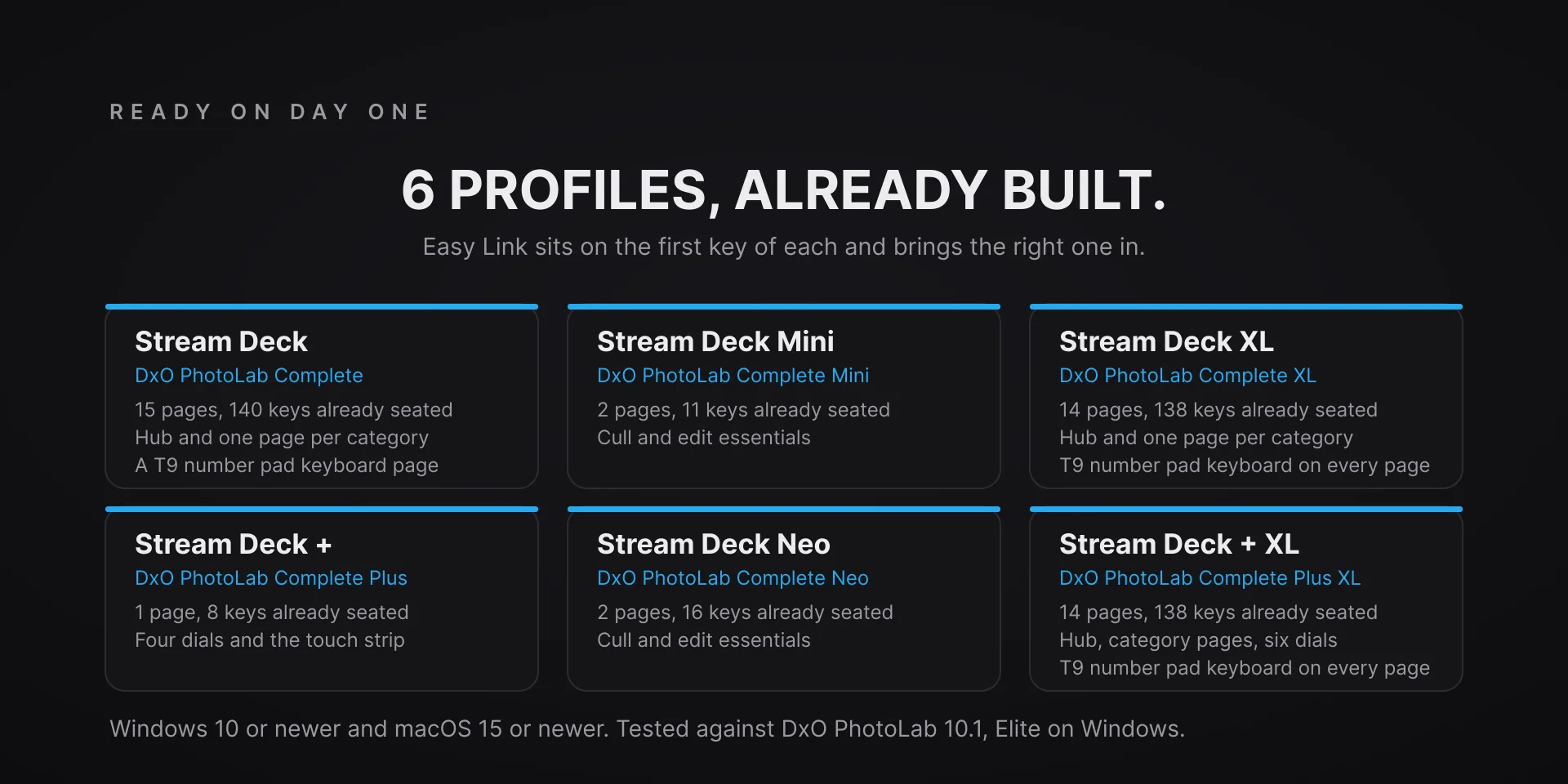
  • Tested against DxO PhotoLab 10.1.0 build 42, Elite edition, on Windows 10 or newer, and PhotoLab 10.1.0 for macOS on an Apple silicon Mac running macOS 27.0.1. The plugin's macOS floor is 15; PhotoLab 10.1 for macOS itself needs 15.7. English-language PhotoLab only. Requires the Stream Deck app 7.1 or newer on both platforms. Profiles are bundled for six decks: the 15-key Stream Deck, the Stream Deck +, the Stream Deck + XL, the 32-key Stream Deck XL, the Stream Deck Mini and the Stream Deck Neo. Dials and the touch strip need a Stream Deck + or a Stream Deck + XL; keys work on every model.
  • On a Mac, allow two permissions, both for the Stream Deck app. Give it Accessibility, and let it control System Events when the first key asks. Missed one? In System Settings, Privacy & Security, open Accessibility or Automation, turn Stream Deck on, then restart the Stream Deck app. Full Disk Access is not needed. The first start needs the network once, for the Stream Deck app's own Node 24 runtime.
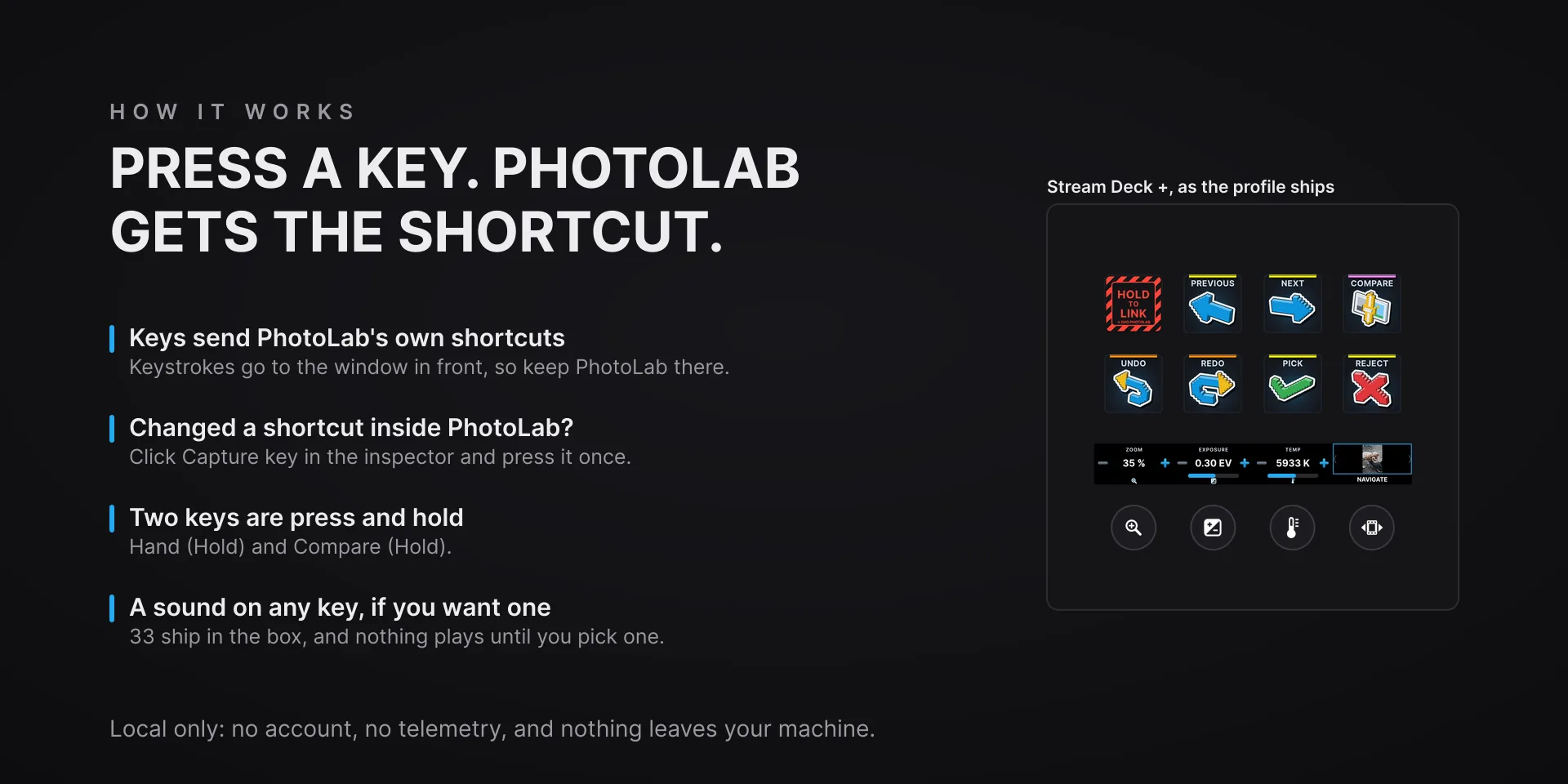
  • Keys send PhotoLab's own shortcuts to the window in front, so keep PhotoLab there when you press. Changed a shortcut inside PhotoLab? Click Capture key in the key's property inspector and press it once. The lit keys, the slider dials, Panels and the film strip find PhotoLab's controls by their English names, which is why PhotoLab has to run in English.
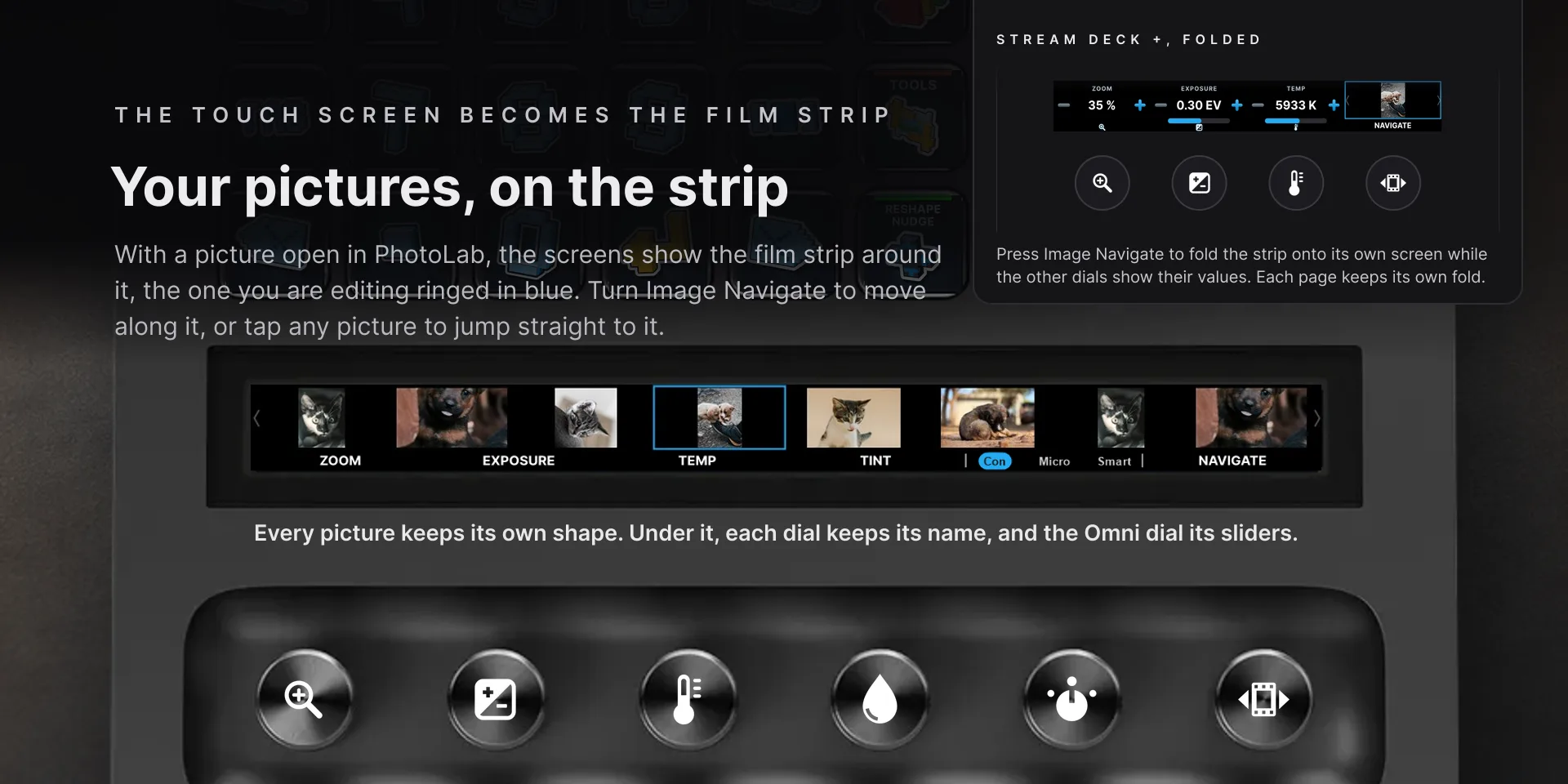
  • The slider dials act on the selected image in Customize, and the strip shows dashes when a slider is not available. A press resets Exposure, WB Tint, Contrast, Highlights and Rotation to 0. The film strip needs PhotoLab's film strip sorted by name: with any other sort, or before PhotoLab has written a newly viewed picture to its library, the screens show the dial faces rather than risk showing the wrong pictures.
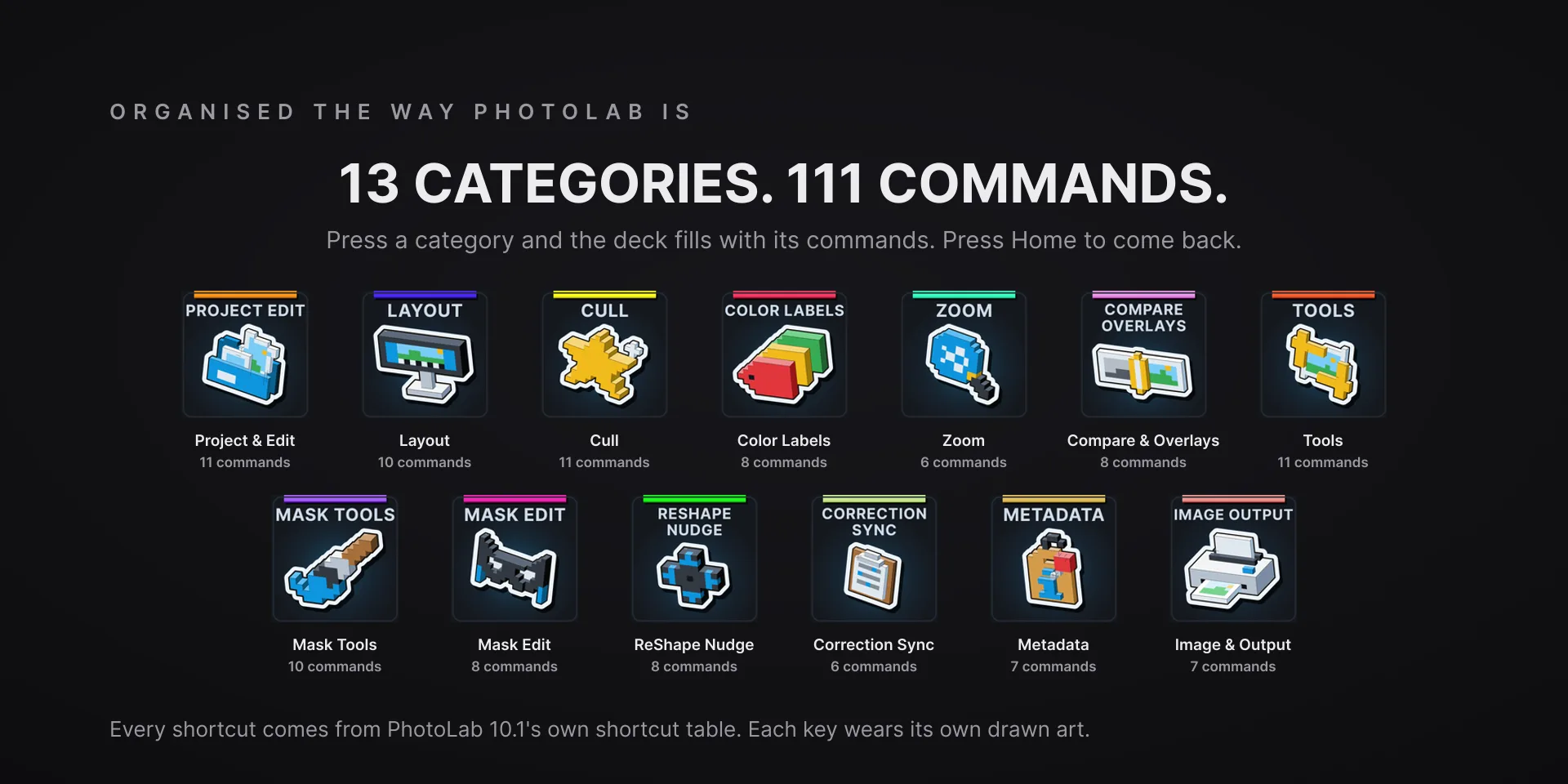
  • ReShape, Miniature and the eight ReShape Nudge keys need DxO ViewPoint, and so do Force Parallel, Rectangle and 8 Points on PhotoLab Essential. On a Mac, 46 of the 111 commands send PhotoLab for macOS's own chord and nine Mask Tools keys press PhotoLab's tool buttons, so they work from anywhere in Customize. Refresh, Maximize, Miniature, Search, New Group, Append Keywords and Rename have no macOS equivalent and do nothing there, the ReShape Nudge keys are untested on a Mac, and Compare (Hold) lights while you hold it.
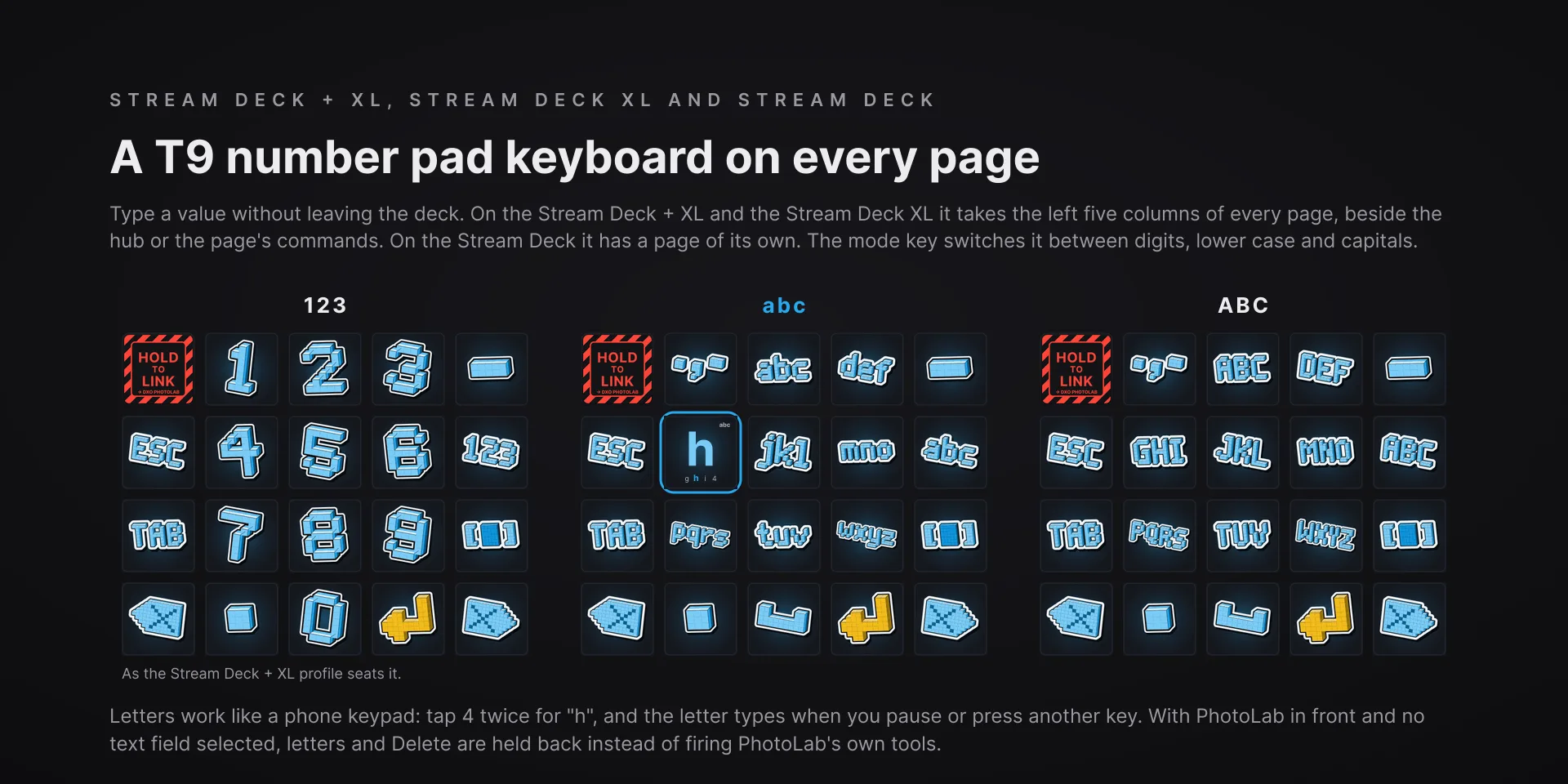
  • With PhotoLab in front and no text field selected, the number pad holds back letters, Space and Delete, which PhotoLab would read as its own tools, and the key alerts instead; on a Mac it holds back digits and Enter too. Local only: no account, no telemetry, and nothing leaves your machine. The film strip reads PhotoLab's own library and preview cache on this computer, read-only.

True of every plugin we make

  • Every key carries the app's own shortcut for that command, and every key is remappable. Type your combination into the key's property inspector (its settings panel in the Stream Deck app) or click Capture and press it once. Where an app leaves a command unbound, the key still reaches it by the route that app exposes.
  • Keystrokes go to the front window and nothing steals focus, so keep the target app in front when you press.
  • Every command has its own drawn key art, so the deck reads at a glance instead of listing shortcuts.

Read the full quick fixes, or see this plugin on the support hub.

Still stuck? Email [email protected] with the plugin name, your Stream Deck software version, and what you pressed versus what happened. A human answers.