PathfinderPrototyping · St. Paul MN

Audio production · Stream Deck plugin

GarageBand Jam Deck

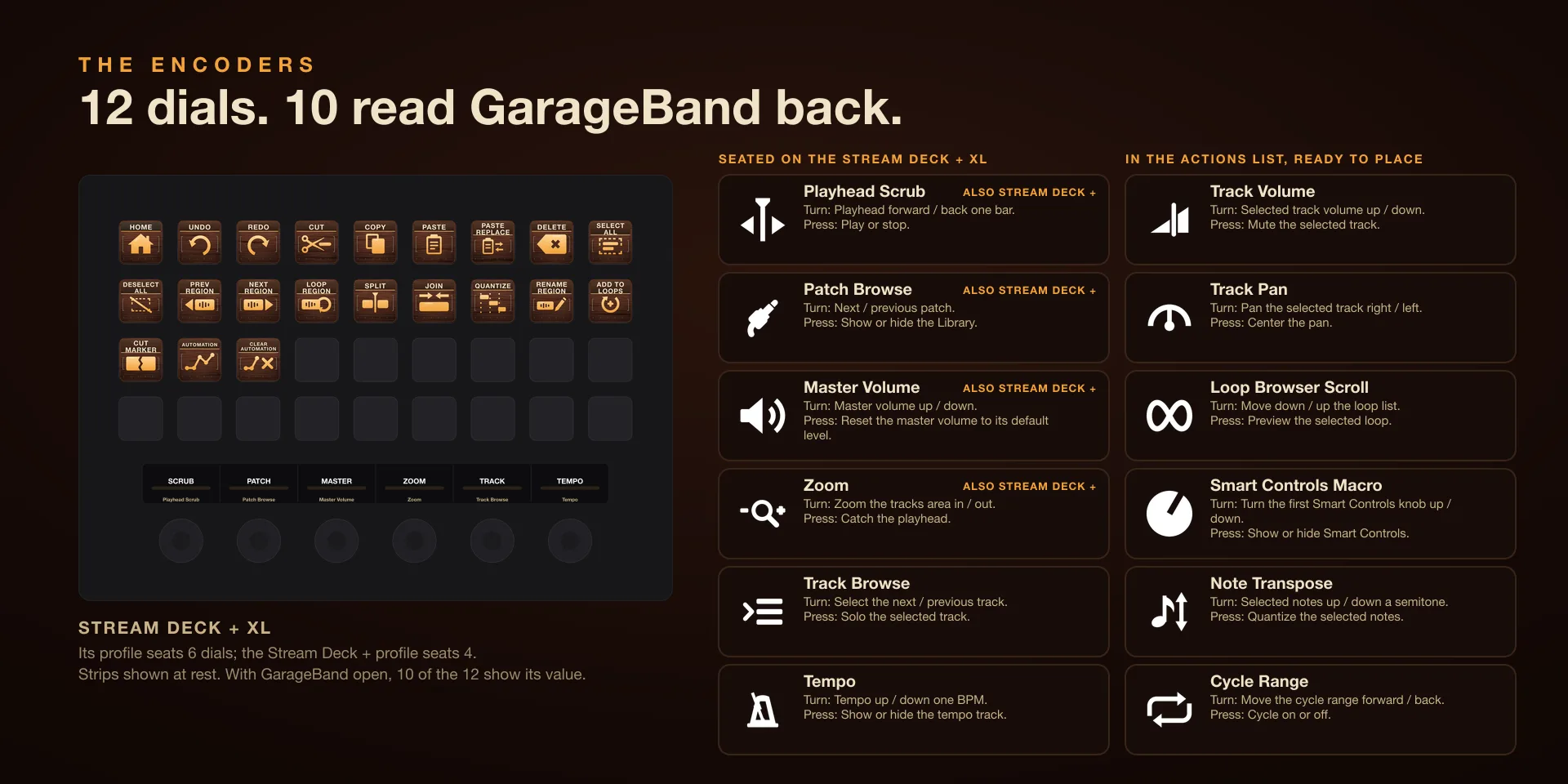
Every key sends the keyboard shortcut GarageBand itself listens for, so there is nothing to bind, and ten of the twelve dials read their value back from GarageBand onto the touch strip: the bar and beat, the patch name, the master level, the tempo.

Download Now

On the Elgato Marketplace

What it does

What you need

GarageBand 10.4.14 or later on macOS 15.6 or later, and Stream Deck software 6.9 or newer. Keys send only while GarageBand is in front.

Support

Good to know

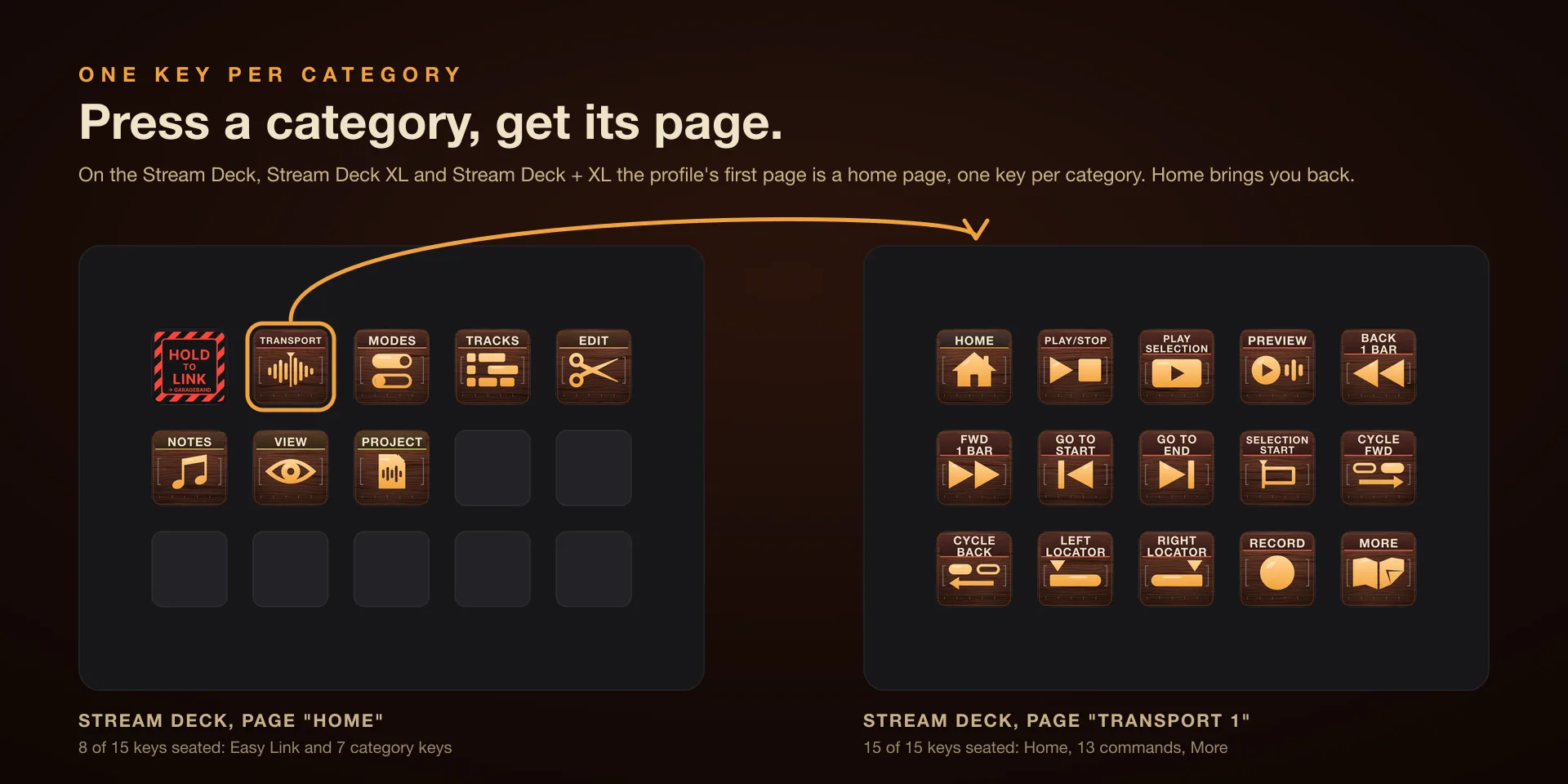
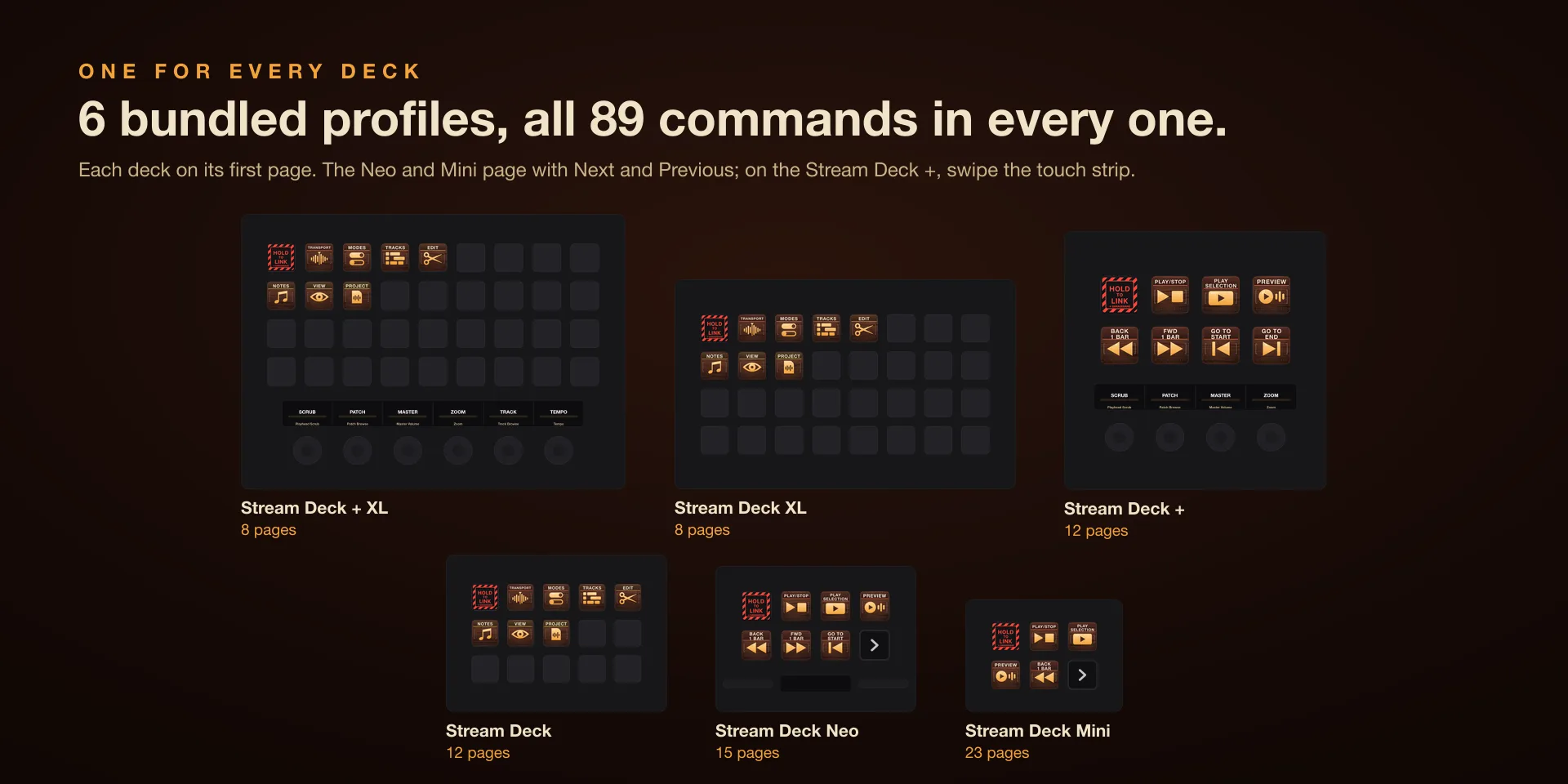
  • Built for GarageBand 10.4.14 or later on macOS 15.6 or later, with Stream Deck software 6.9 or newer. Profiles are bundled for six decks: the 15-key Stream Deck, the Stream Deck +, the Stream Deck + XL, the 32-key Stream Deck XL, the Stream Deck Mini and the Stream Deck Neo. The dials need one of the two Stream Deck + models.
  • Click OK when macOS asks to let Elgato Stream Deck control System Events. Accessibility has no prompt: add Elgato Stream Deck under System Settings, Privacy and Security, Accessibility, then quit and reopen the Stream Deck app. The keys and the dials both need it.
  • Keys send only while GarageBand is in front. With another app in front nothing is sent, and the key shows an alert rather than firing into the wrong window.
  • Ten of the twelve dials read their value back from GarageBand onto the touch strip; Loop Browser Scroll and Note Transpose send without reading back. The Stream Deck + XL profile seats six dials and the Stream Deck + profile four; the other six wait in the actions list, ready to place.
  • A key is remapped by picking another command in its property inspector; this plugin has no field for typing your own key combination.

True of every plugin we make

  • Keystrokes go to the front window and nothing steals focus, so keep the target app in front when you press.
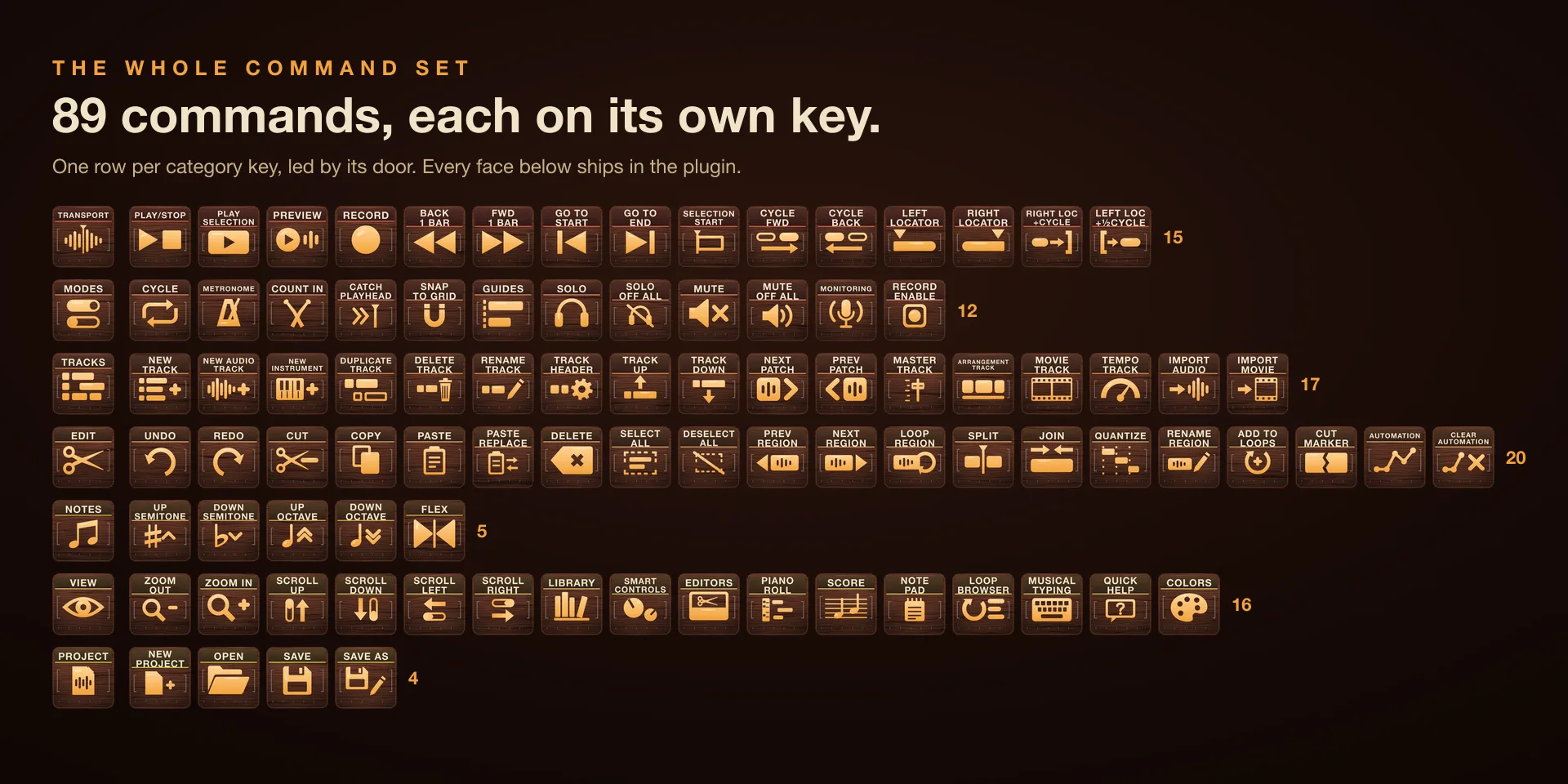
  • Every command has its own drawn key art, so the deck reads at a glance instead of listing shortcuts.

Read the full quick fixes, or see this plugin on the support hub.

Still stuck? Email [email protected] with the plugin name, your Stream Deck software version, and what you pressed versus what happened. A human answers.