PathfinderPrototyping · St. Paul MN

Game development · Stream Deck plugin

Godot Studio Deck

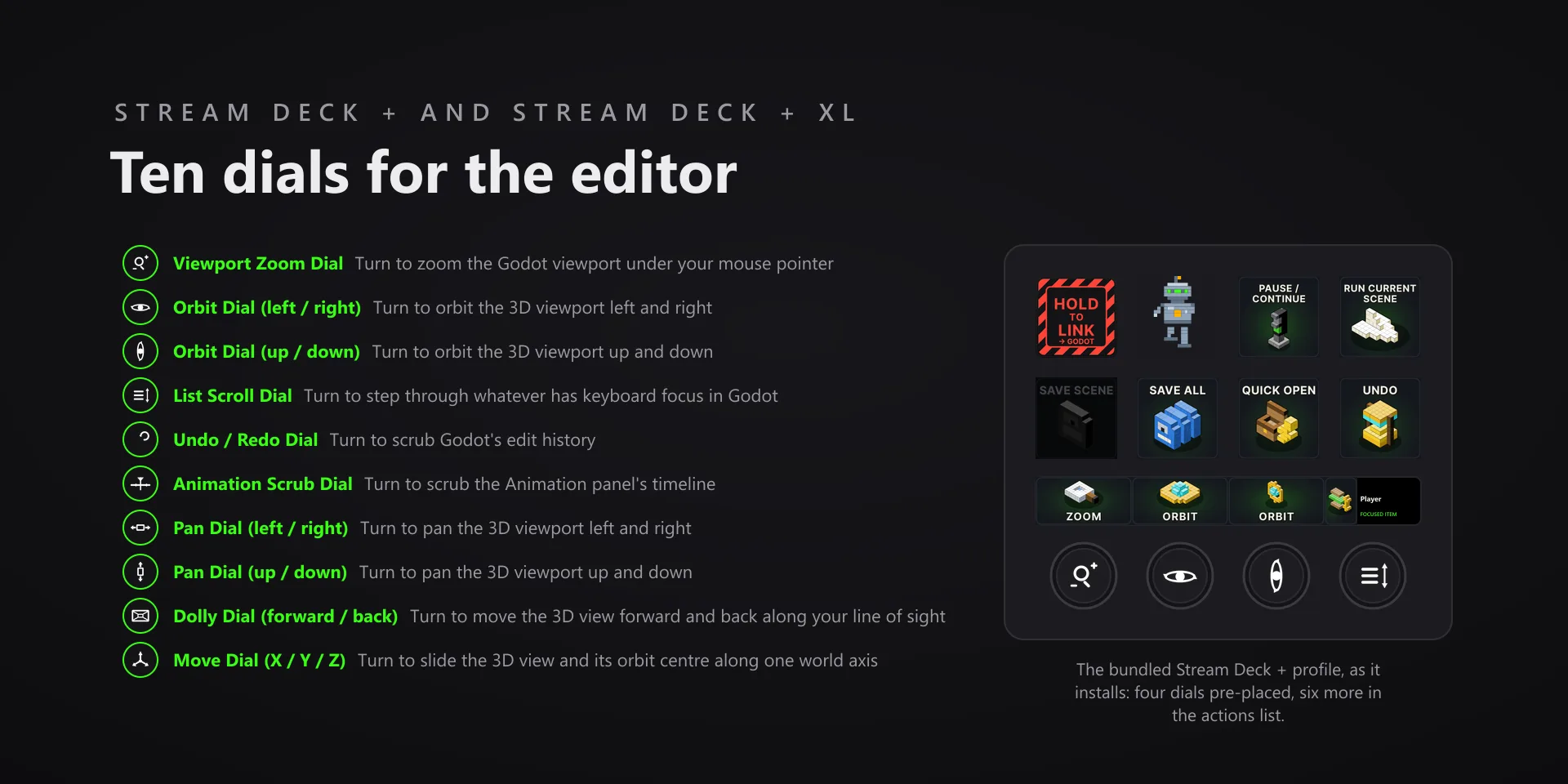
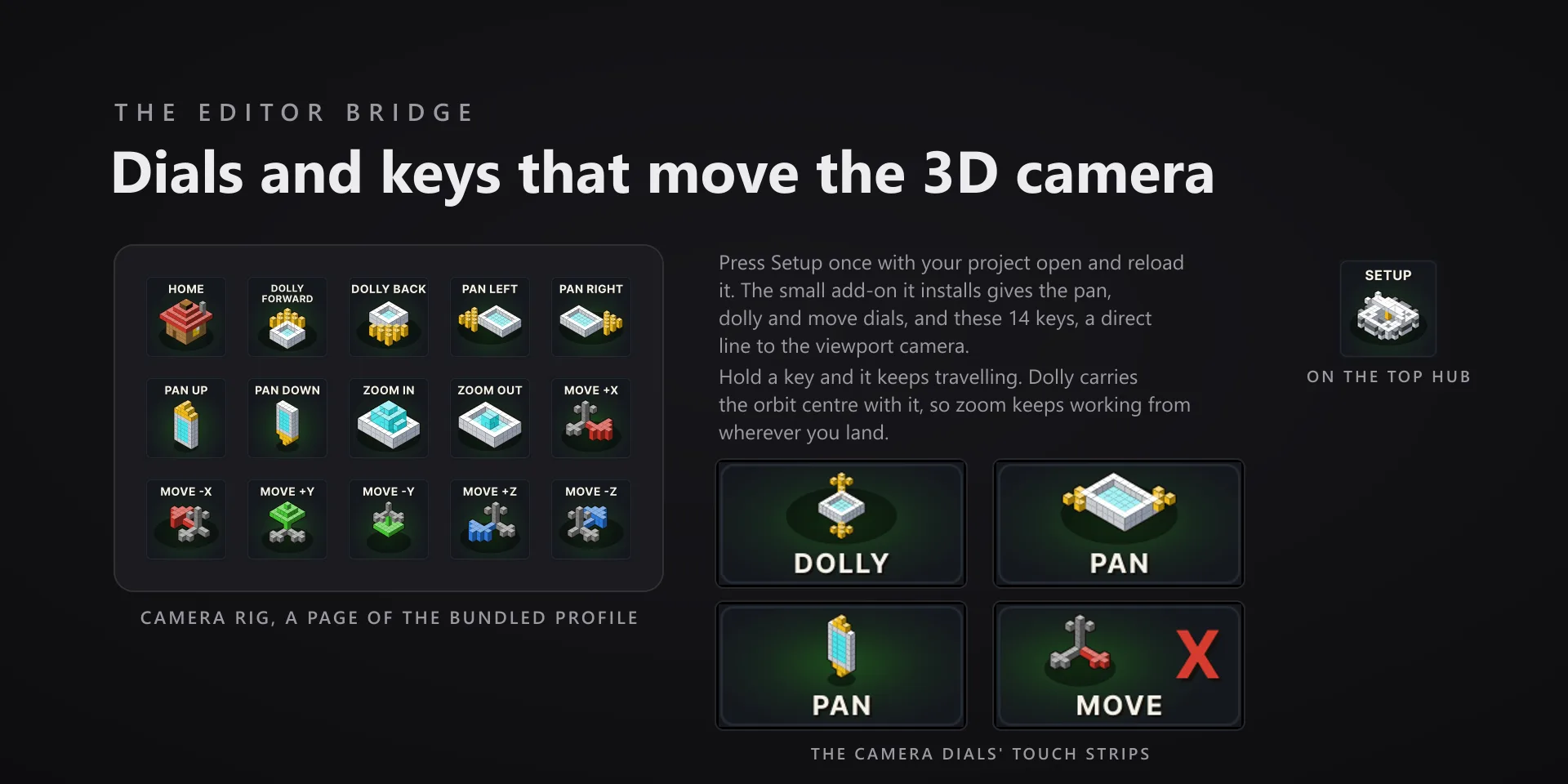
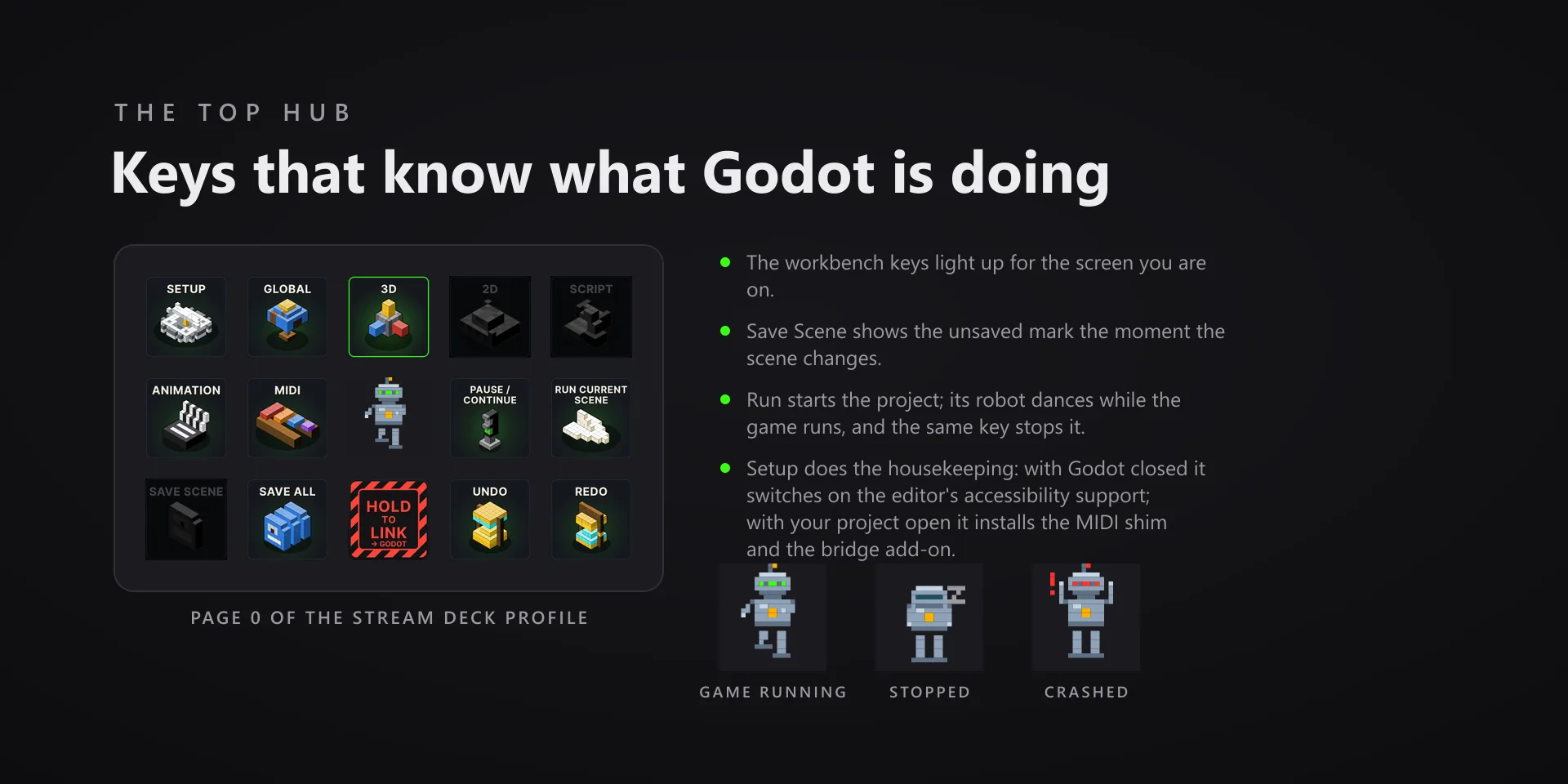
Orbiting a viewport normally means putting the mouse in it first. An add-on the Setup key installs gives seven camera dials and fourteen camera keys a direct line to the 3D view instead, and the top hub reads the editor back.

Download Now

On the Elgato Marketplace

What it does

What you need

Windows 10 or 11, Stream Deck software 6.9 or newer, and the Godot 4.7.2 Windows editor. Built and measured against Godot 4.7.2.

Support

Good to know

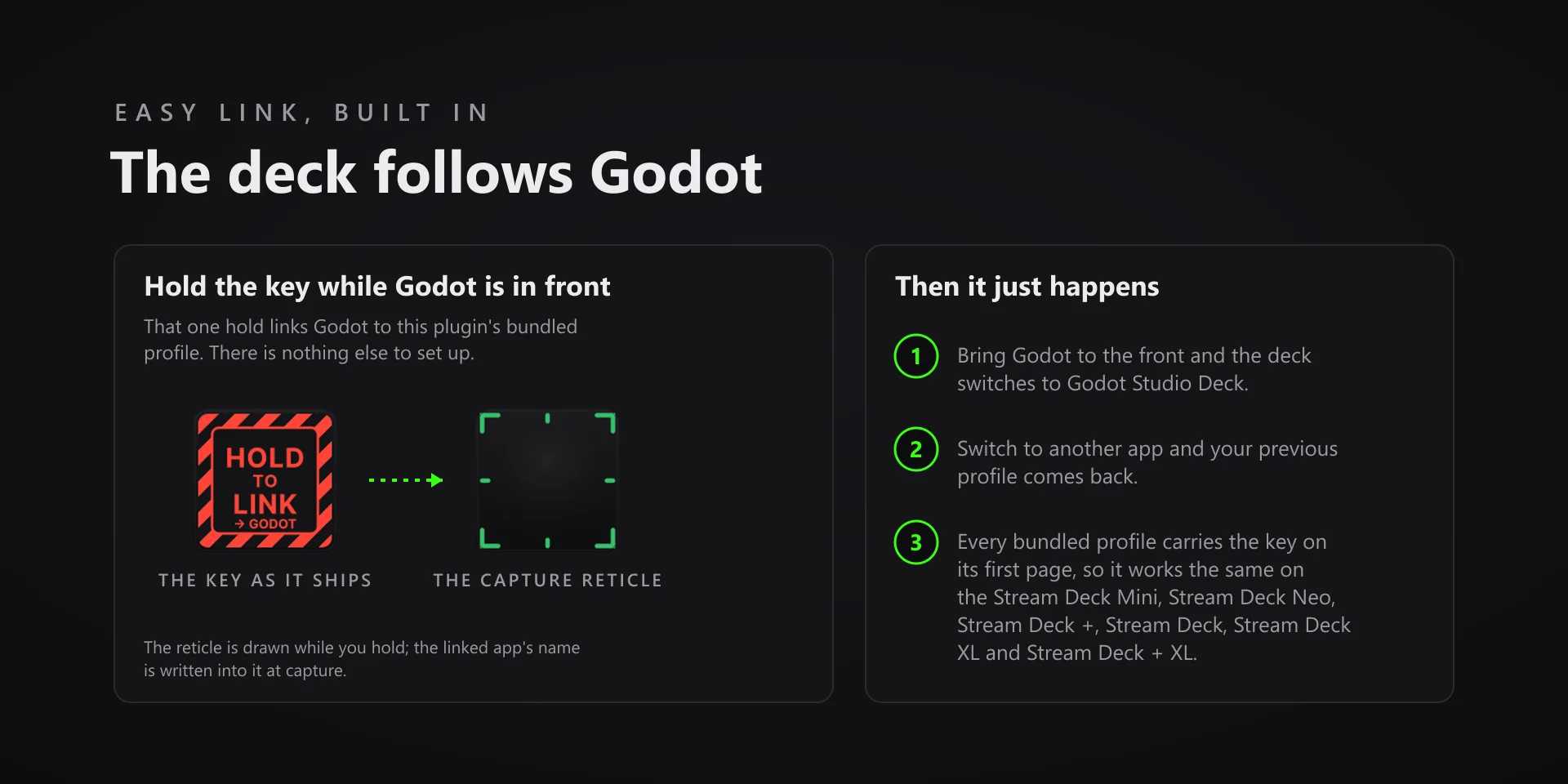
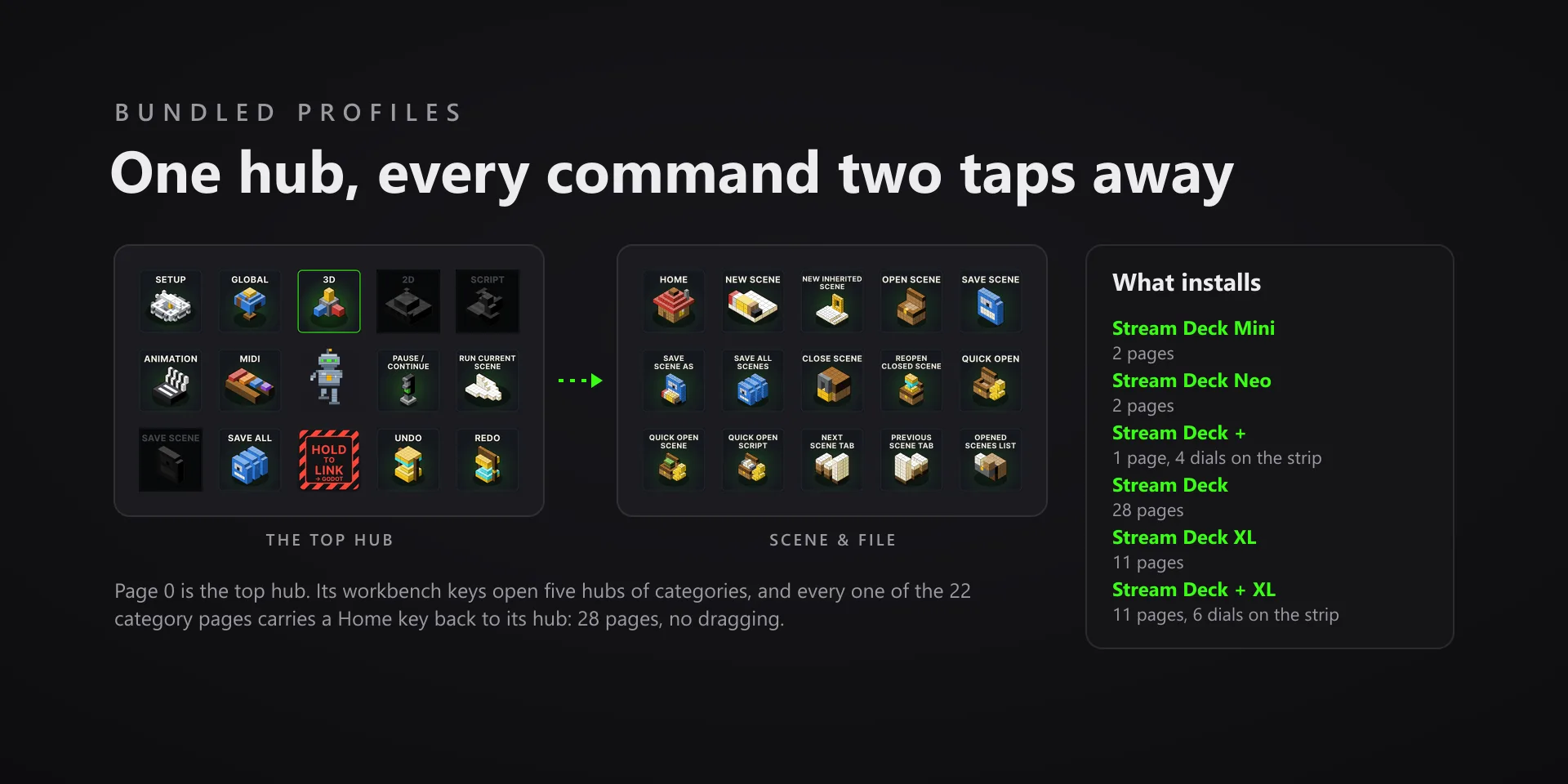
  • The Godot 4.7.2 Windows editor, with Stream Deck software 6.9 or newer. Profiles are bundled for six decks: the Stream Deck, the Stream Deck +, the Stream Deck + XL, the Stream Deck XL, the Stream Deck Mini and the Stream Deck Neo.
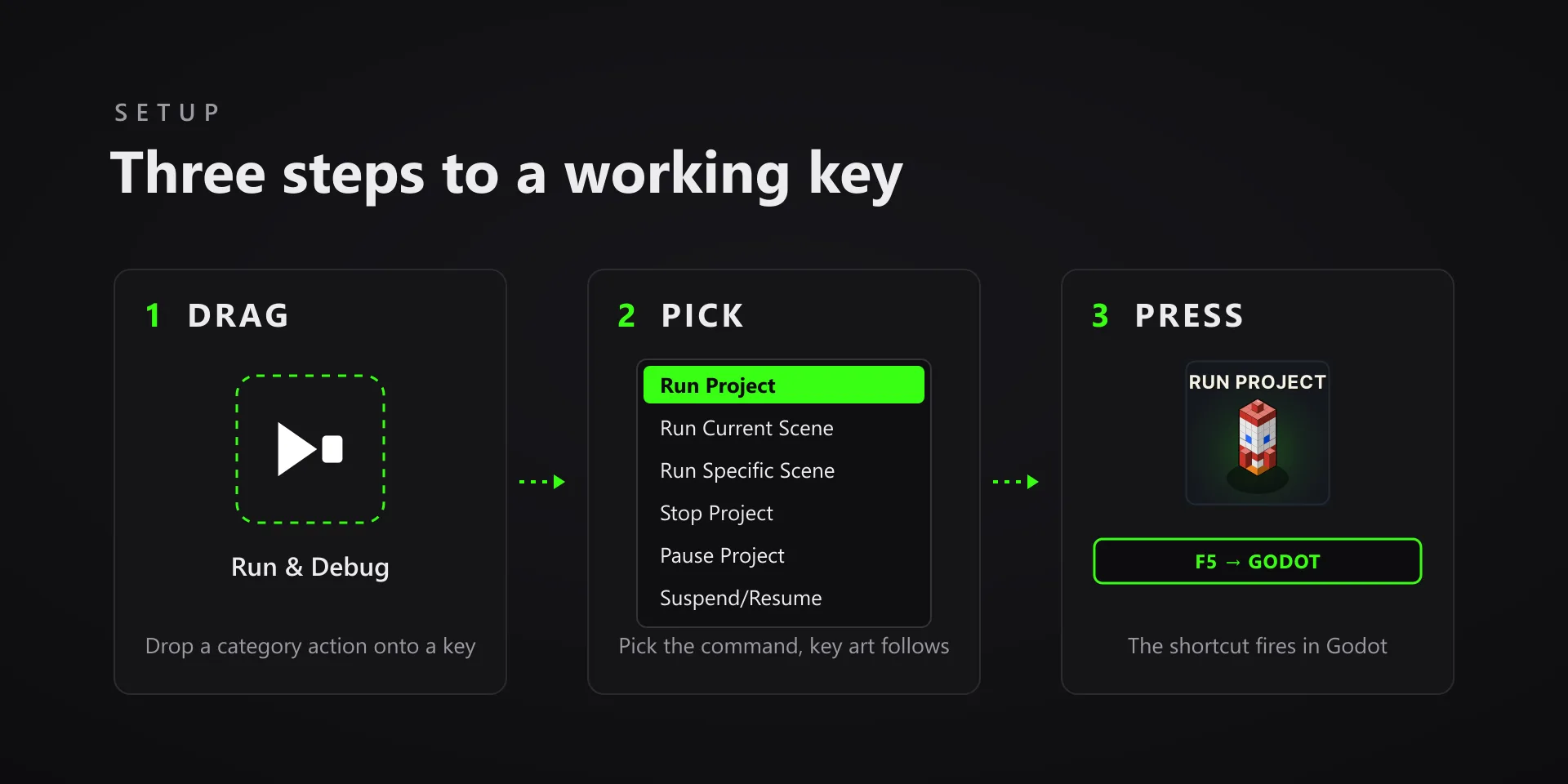
  • Setup is two presses, and each one reports what it did. Press Setup with Godot closed to switch on the editor's Accessibility Support, which is the setting the keys that read state depend on, and breakpoint sync for the debugger. Press it again with your project open to install the bridge add-on and the MIDI shim, then reload the project.
  • The bridge add-on and the MIDI shim are two small GDScript add-ons copied into your own project. Nothing else is installed. Without the bridge the Dolly and Move dials say so rather than guess, and the zoom, orbit and pan dials fall back to Godot's own routes.
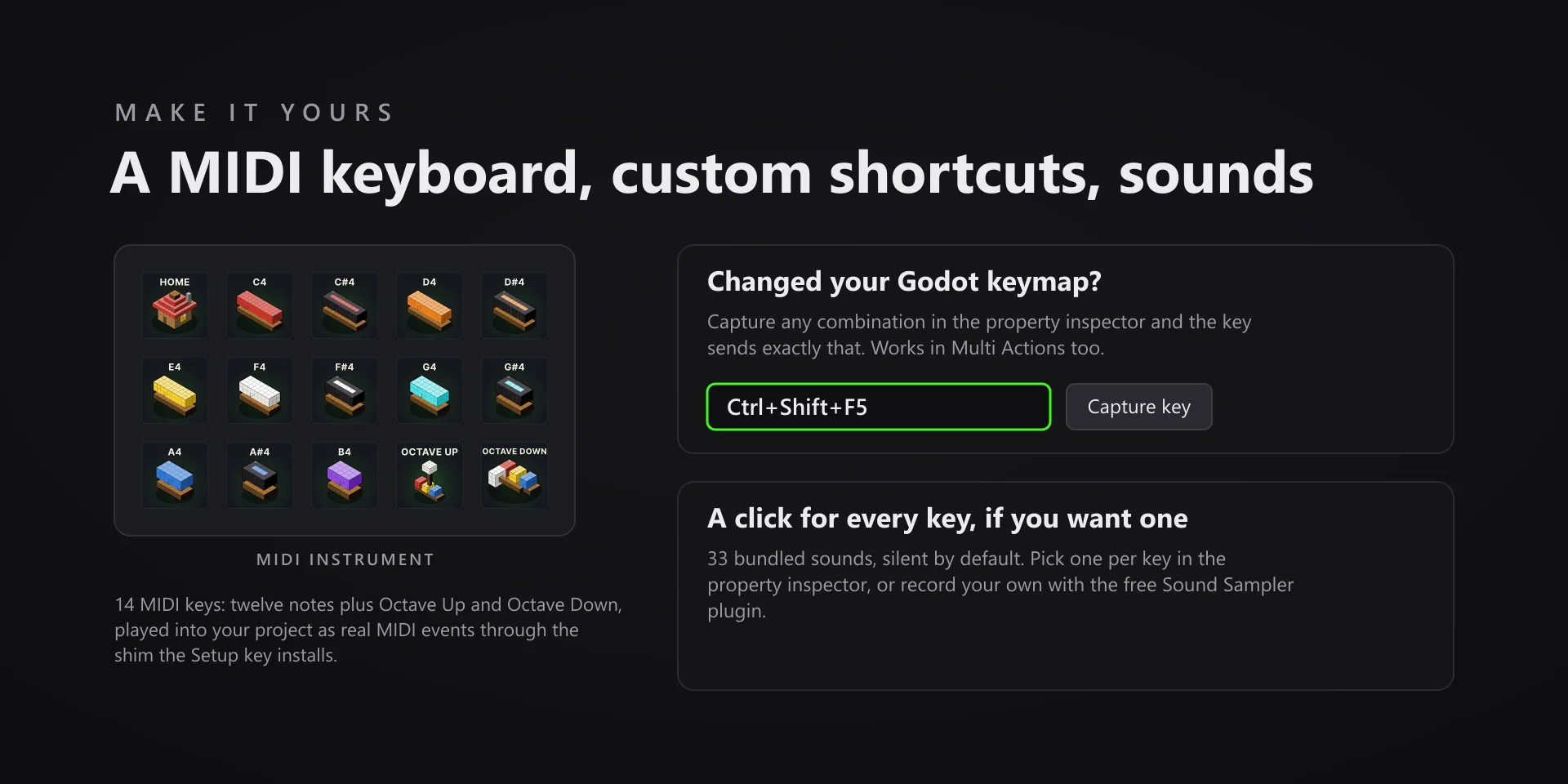
  • MIDI keys play into a running project, so start the project first; press one with no game running and the key alerts instead of playing into silence. Commands go to the editor in front, so keep Godot focused when you press one.
  • Changed your keymap? Capture any combination in the property inspector and the key sends exactly that, in Multi Actions too.
  • Runs entirely on your machine. The add-ons stay in your project, nothing is sent anywhere, and there is no account and no telemetry.

True of every plugin we make

  • Every key carries the app's own shortcut for that command, and every key is remappable. Type your combination into the property inspector or click Capture and press it once. Where an app leaves a command unbound, the key still reaches it by the route that app exposes.
  • Keystrokes go to the front window and nothing steals focus, so keep the target app in front when you press.
  • Every command has its own drawn key art, so the deck reads at a glance instead of listing shortcuts.

Read the full quick fixes, or see this plugin on the support hub.

Still stuck? Email [email protected] with the plugin name, your Stream Deck software version, and what you pressed versus what happened. A human answers.