PathfinderPrototyping · St. Paul MN

Raw developing · Stream Deck plugin

RawTherapee Complete

A raw session is the same handful of moves repeated across hundreds of frames: step, zoom, rate, undo, try again. RawTherapee has a shortcut for nearly all of it, which is exactly why nobody remembers them. Under your fingers, the culling stops being the slow part.

Download Now

On the Elgato Marketplace

What it does

What you need

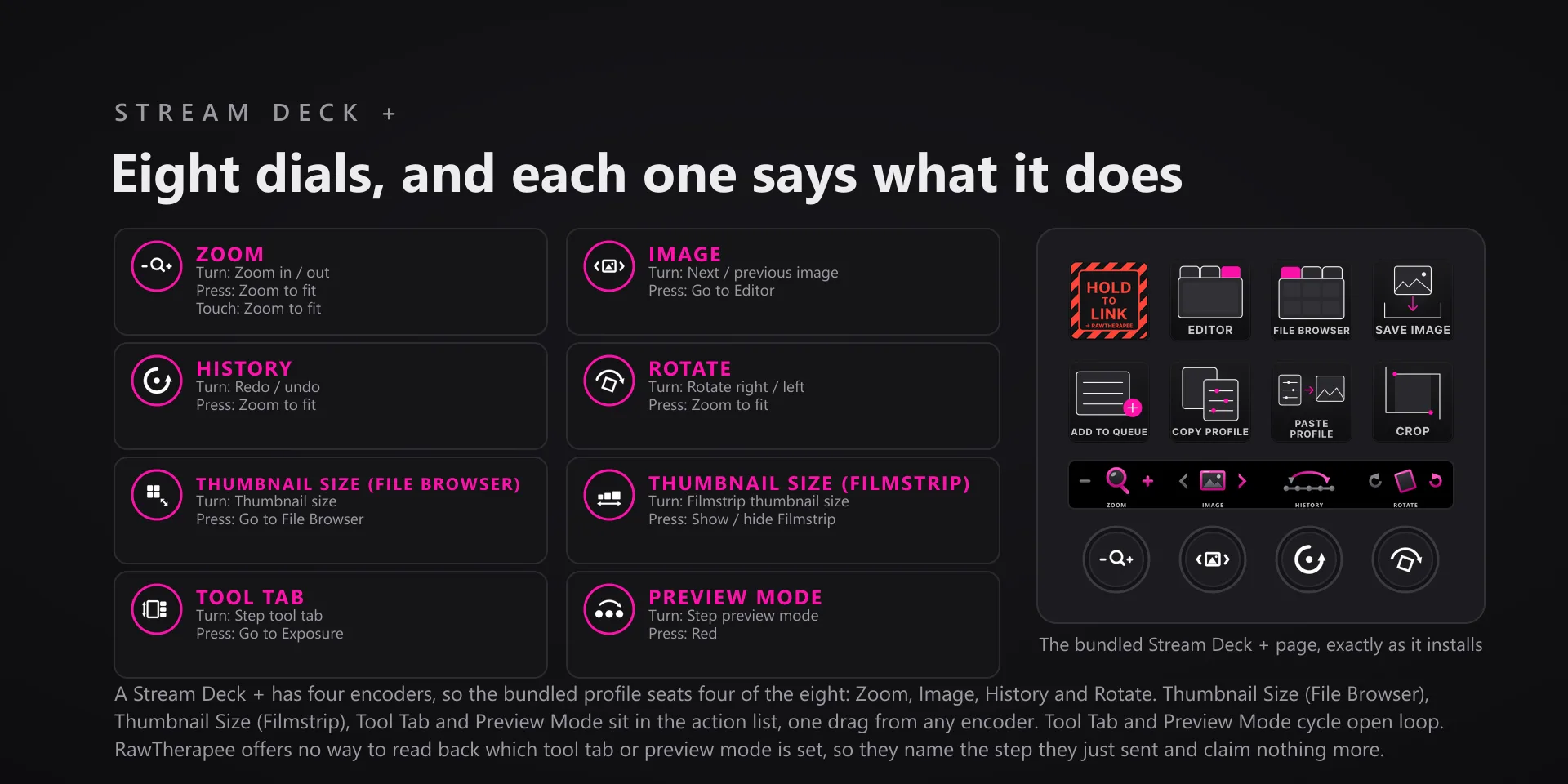
RawTherapee 5.12, the 64-bit Windows desktop build, on Windows 10 or 11, and Stream Deck software 6.9 or later. The eight dials need a Stream Deck +; every key action works on any Stream Deck model.

Support

Good to know

  • Built and tested against RawTherapee 5.12, the 64-bit Windows desktop build, on Windows 10 and 11. Requires the Windows Stream Deck app 6.9 or newer. Dials need a Stream Deck +; the keys work on every Stream Deck model.
  • Keys go to whatever window is in front, so bring RawTherapee forward before pressing.
  • The Tool Tab and Preview Mode dials cycle open loop. RawTherapee offers no way to read back which tool tab or preview mode is active, so those two faces name the step they just sent and never claim a current state.
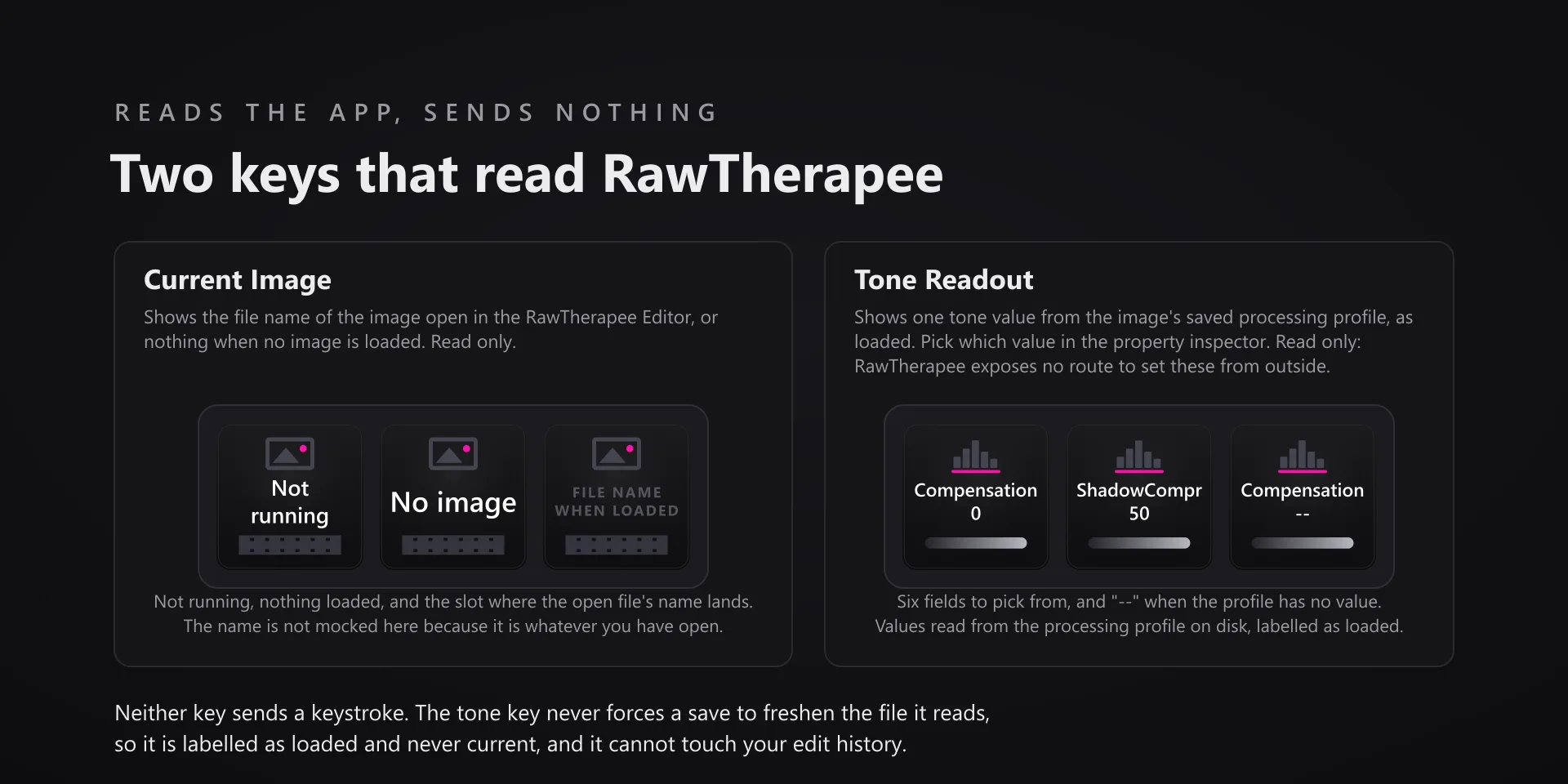
  • The Tone Readout key is labelled as loaded because that is exactly what it is. It reads the processing profile sitting on disk beside your raw, and that file lags the sliders until RawTherapee writes it. The key re-reads on press and never forces a save, so it cannot touch your edit history.
  • The Zoom dial turns the scroll wheel over the preview, so RawTherapee zooms at your pointer. Fast spins fold into a single send.
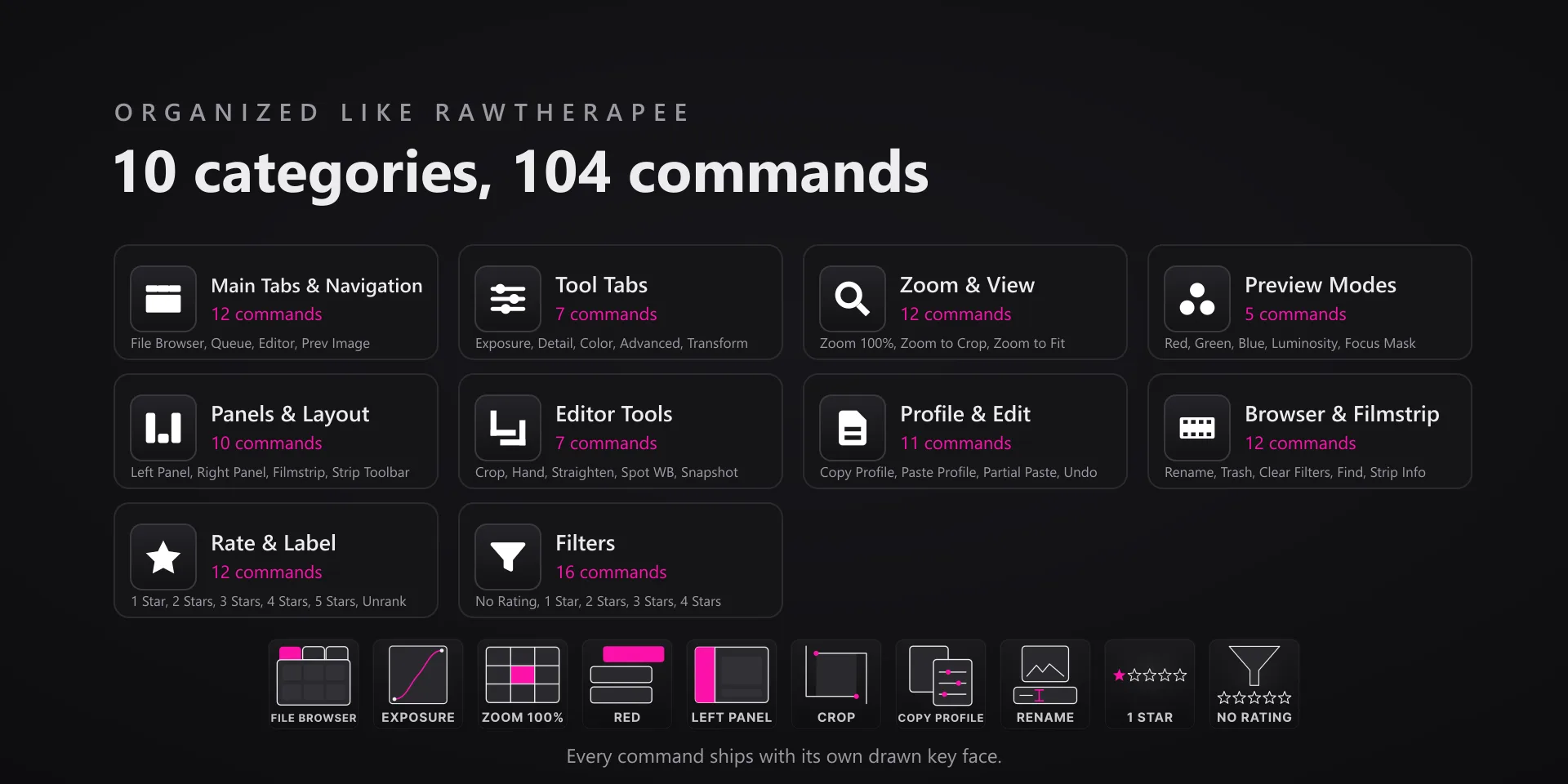
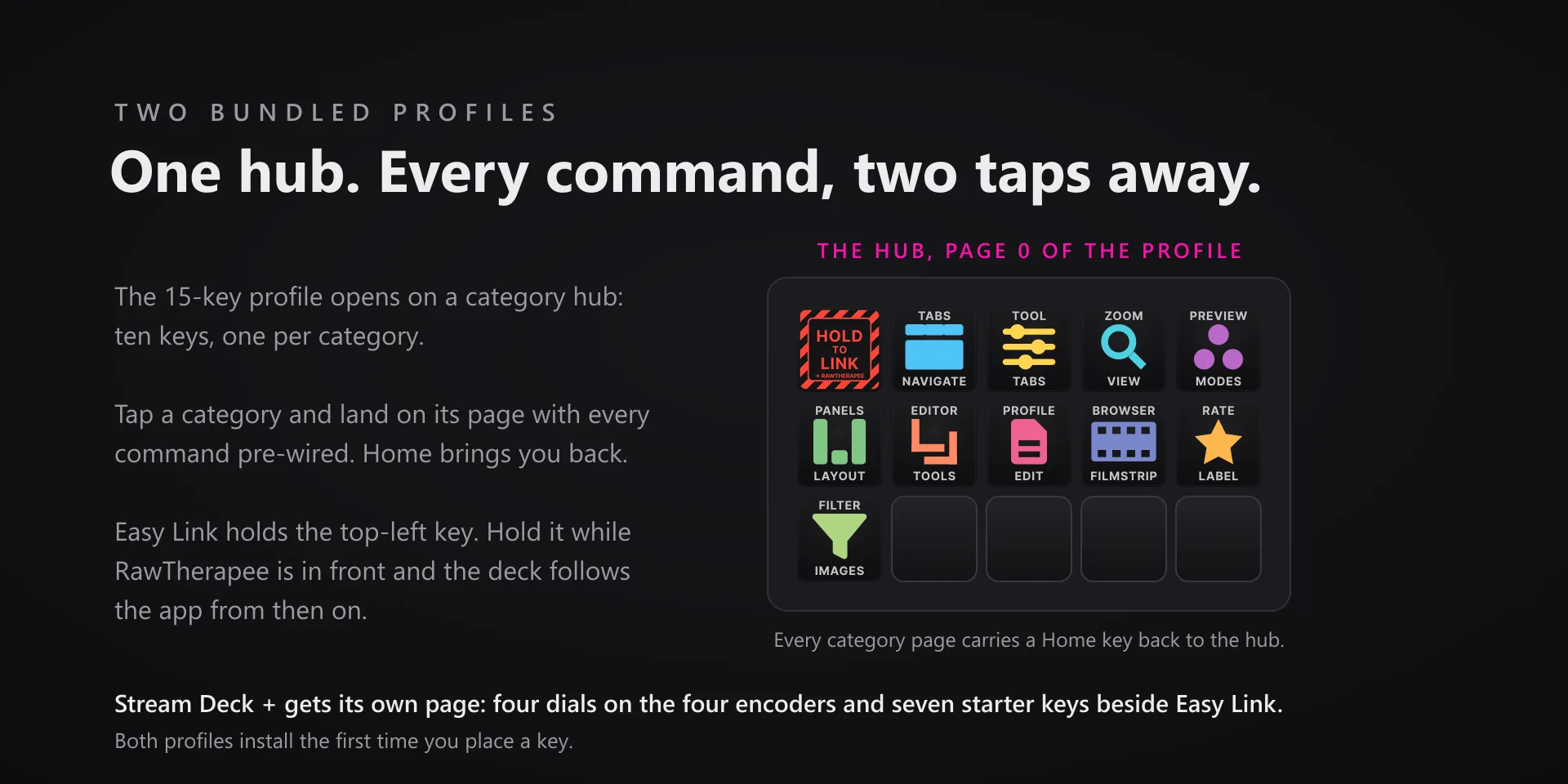
  • The Filters page in the bundled 15-key profile carries 14 of the 16 filter commands, which is what fits beside the Home key. The other two are one dropdown pick away on any spare key.
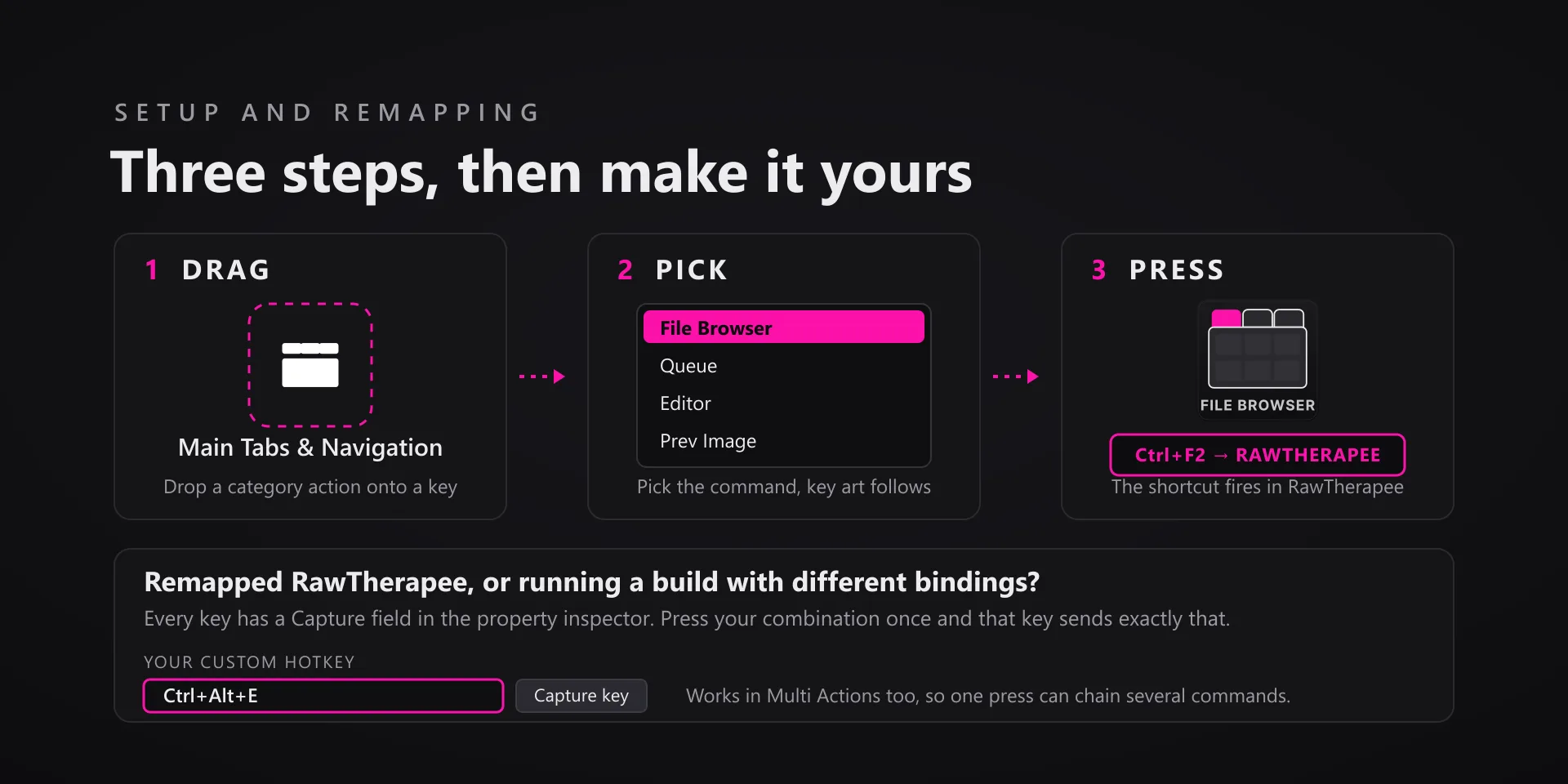
  • Remapped RawTherapee, or running a build with different bindings? Every key has a Capture field in the property inspector: press your combination once and that key sends exactly that from then on.

True of every plugin we make

  • Every key ships with the app's stock default shortcut, and every key is remappable. Type your combination into the property inspector or click Capture and press it once.
  • Keystrokes go to the active window. The plugin never steals focus or targets a window, so keep the target app in front when you press.
  • Every command has its own drawn key art, so the deck reads at a glance instead of listing shortcuts.

Read the full quick fixes, or see this plugin on the support hub.

Still stuck? Email [email protected] with the plugin name, your Stream Deck software version, and what you pressed versus what happened. A human answers.