PathfinderPrototyping · St. Paul MN

Audio production · Stream Deck plugin

REAPER macOS Control Room

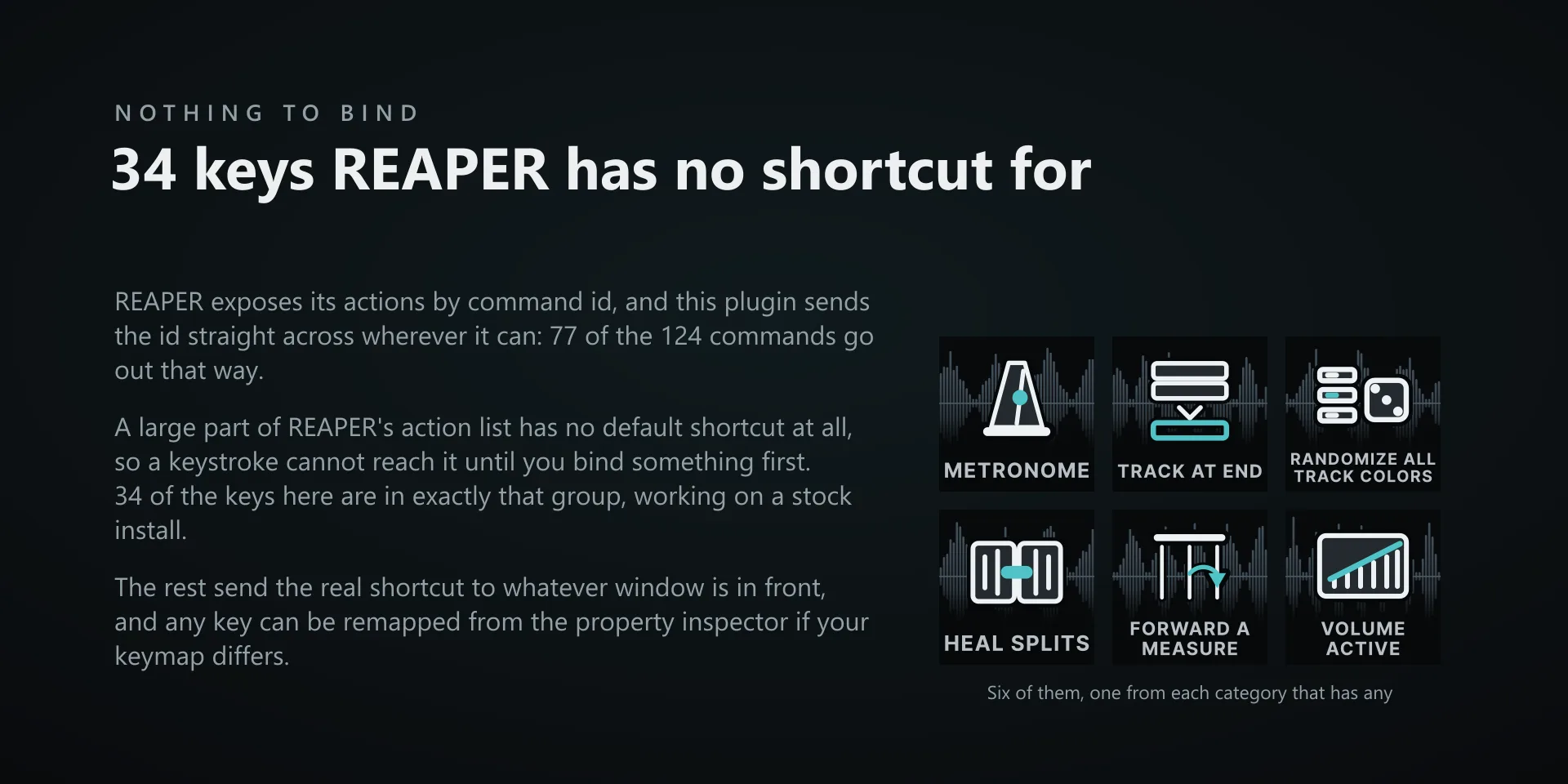
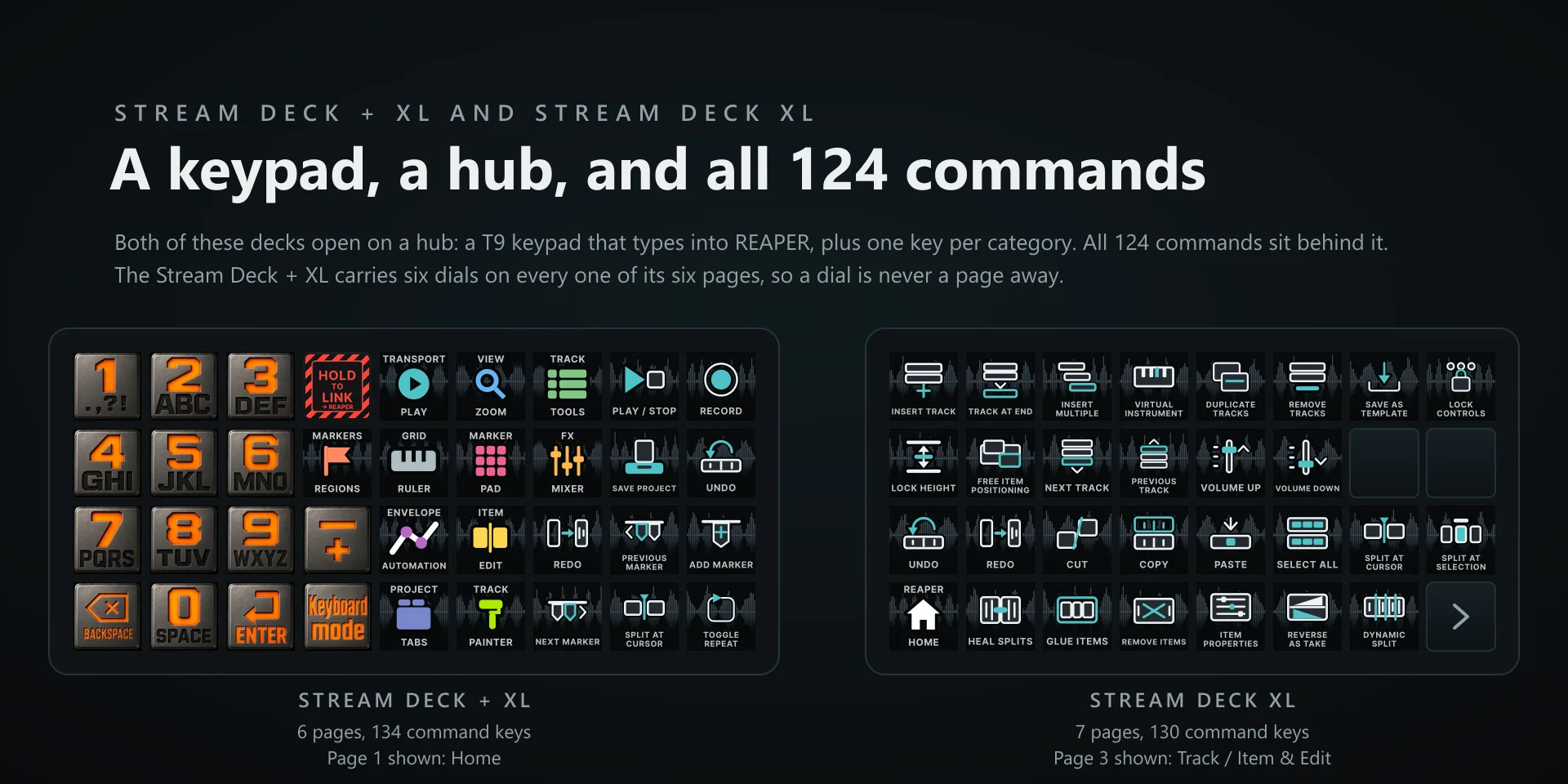
Most hotkey plugins fire a keystroke and hope. REAPER exposes its actions by command id, so 77 of these keys send the id straight to REAPER, and 34 of those run actions REAPER ships with no default shortcut at all. They work on a stock install.

Download Now

On the Elgato Marketplace

What it does

What you need

macOS 13 or later, Stream Deck software 6.9 or newer, and REAPER, built and tested against REAPER 7.79. This is a macOS listing. The Windows edition is REAPER Control Room.

Support

Good to know

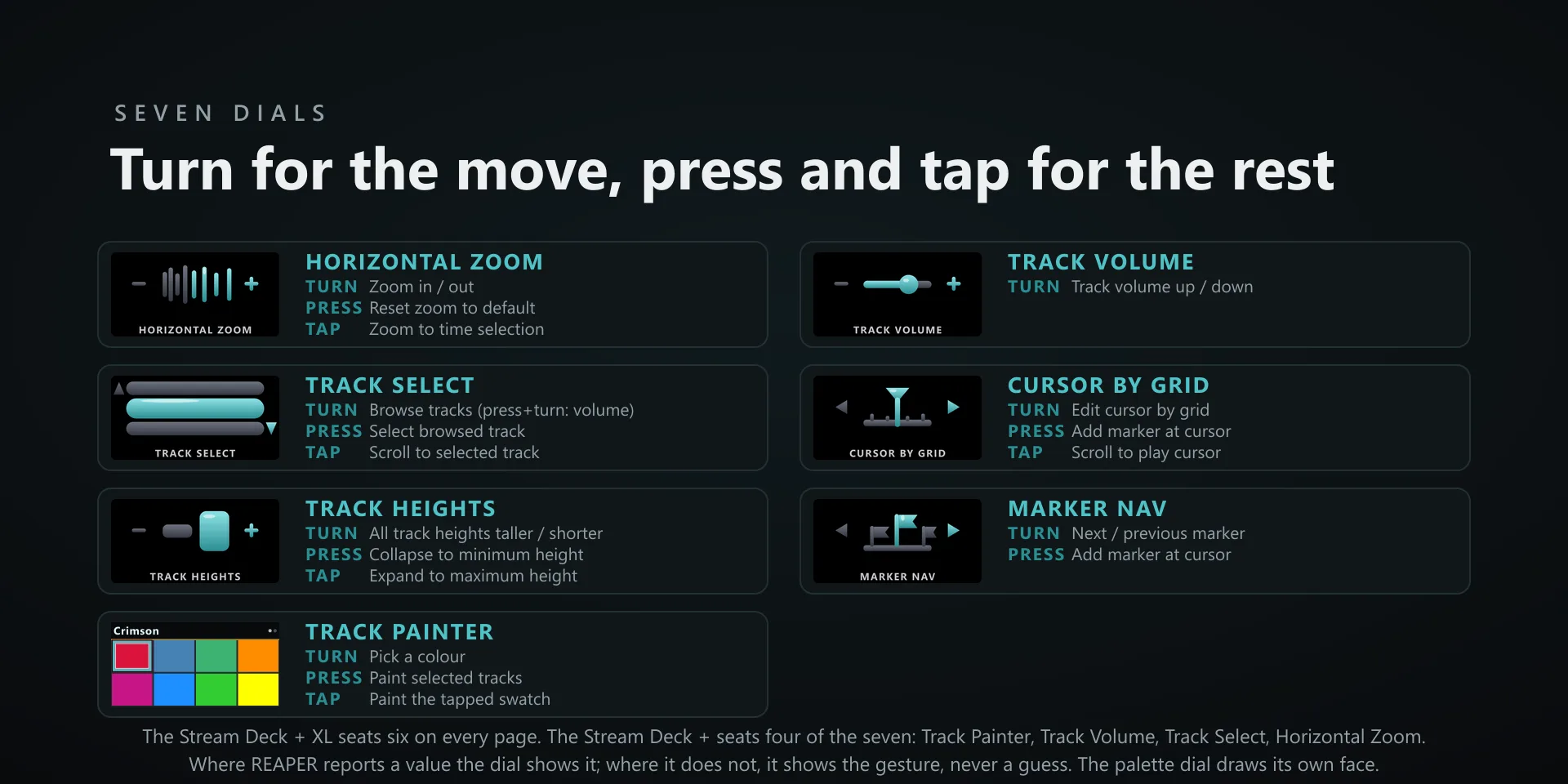
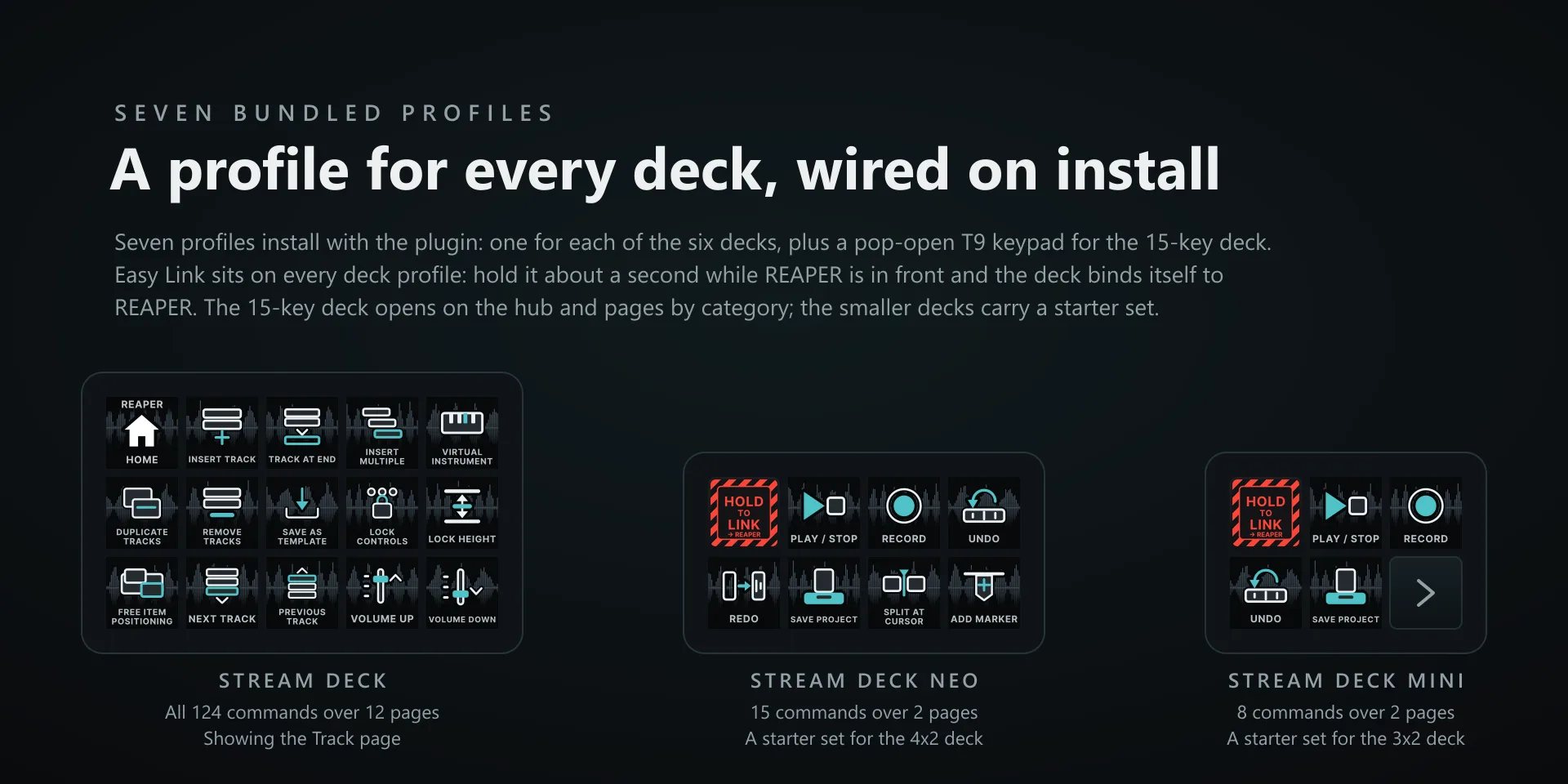
  • Built for REAPER on macOS 13 or later, tested against REAPER 7.79. Requires the Stream Deck app 6.9 or newer. Profiles are bundled for six decks: the 15-key Stream Deck, the Stream Deck +, the Stream Deck + XL, the 32-key Stream Deck XL, the Mini and the Neo. The dials need one of the two Stream Deck + models.
  • Keystrokes need Accessibility, and macOS never prompts for it. Add Elgato Stream Deck under System Settings, Privacy & Security, Accessibility, then quit and reopen the Stream Deck app.
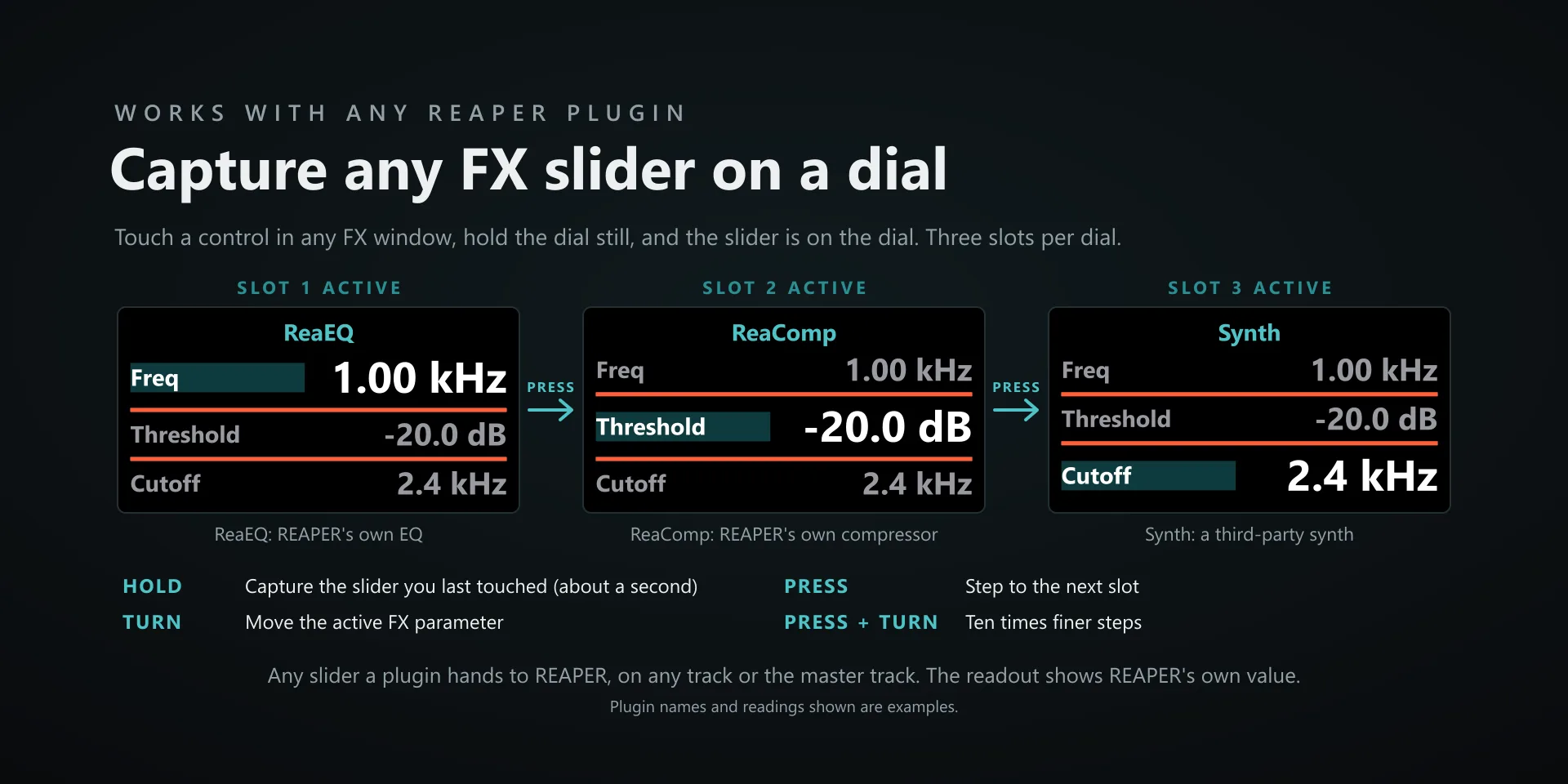
  • Every key and every dial works with nothing configured. One optional step adds the live readings: copy Pathfinder.ReaperOSC out of the plugin's osc folder into REAPER's own OSC folder, then add it in REAPER under Preferences, Control/OSC/web, with device IP 127.0.0.1, device port 8000 and local listen port 9000. No restart. Skip it and you keep the whole plugin, minus those readings.
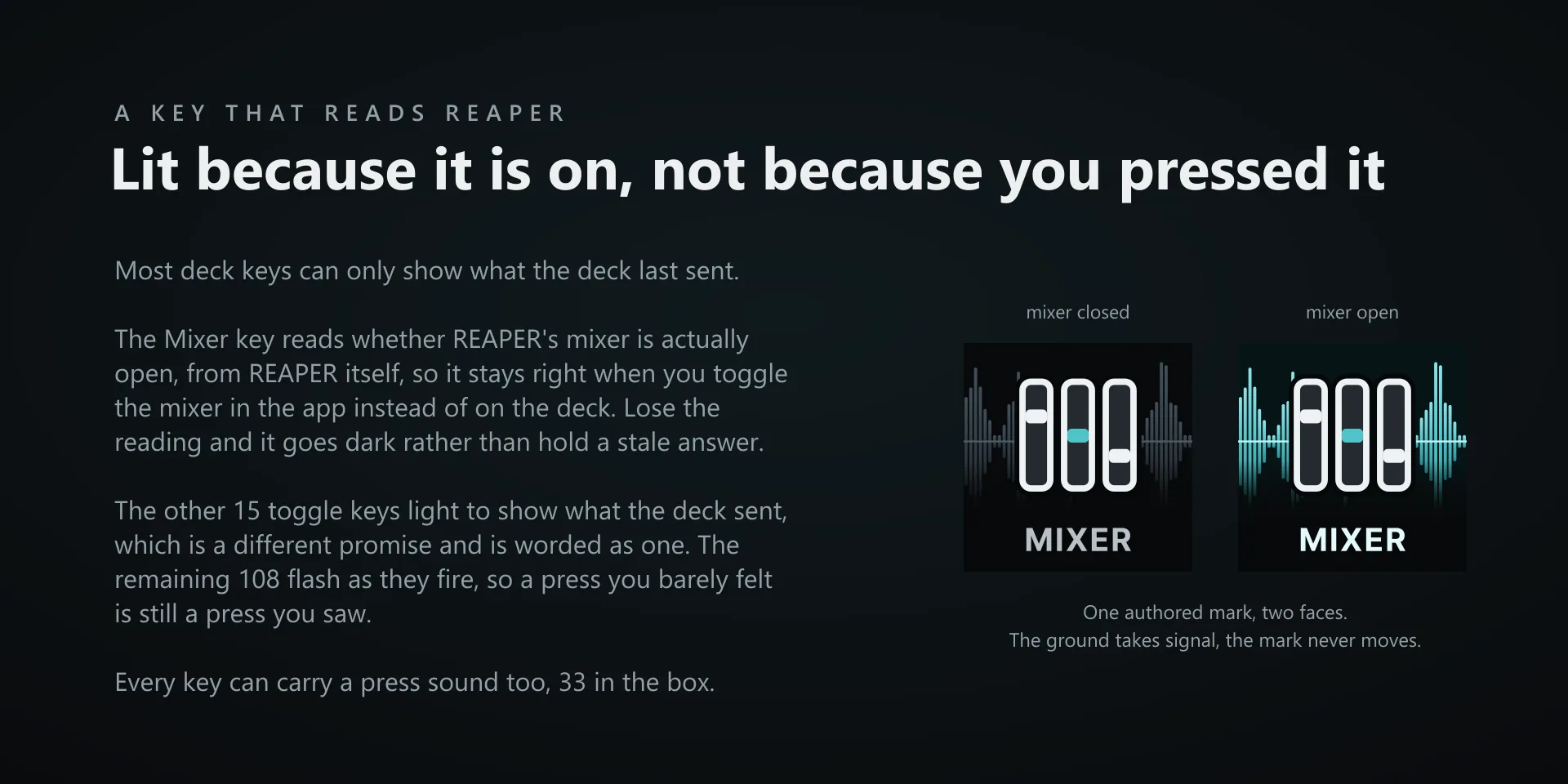
  • Without the OSC surface the state-reading faces fall back to sending only, and say so. The Mixer key reads the window itself and needs no setup at all.

True of every plugin we make

  • Every key carries the app's own shortcut for that command, and every key is remappable. Type your combination into the property inspector or click Capture and press it once. Where an app leaves a command unbound, the key still reaches it by the route that app exposes.
  • Keystrokes go to the front window and nothing steals focus, so keep the target app in front when you press.
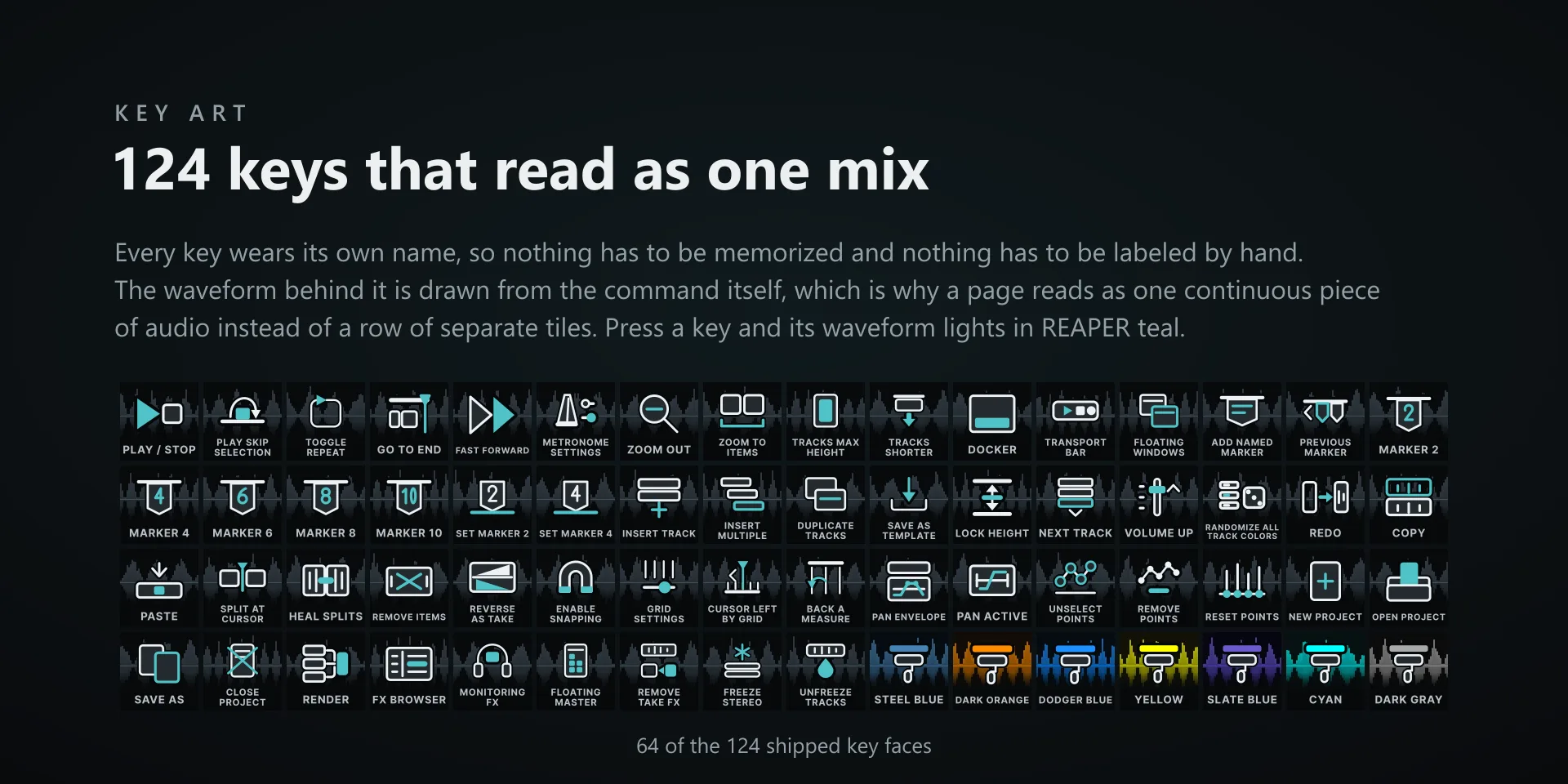
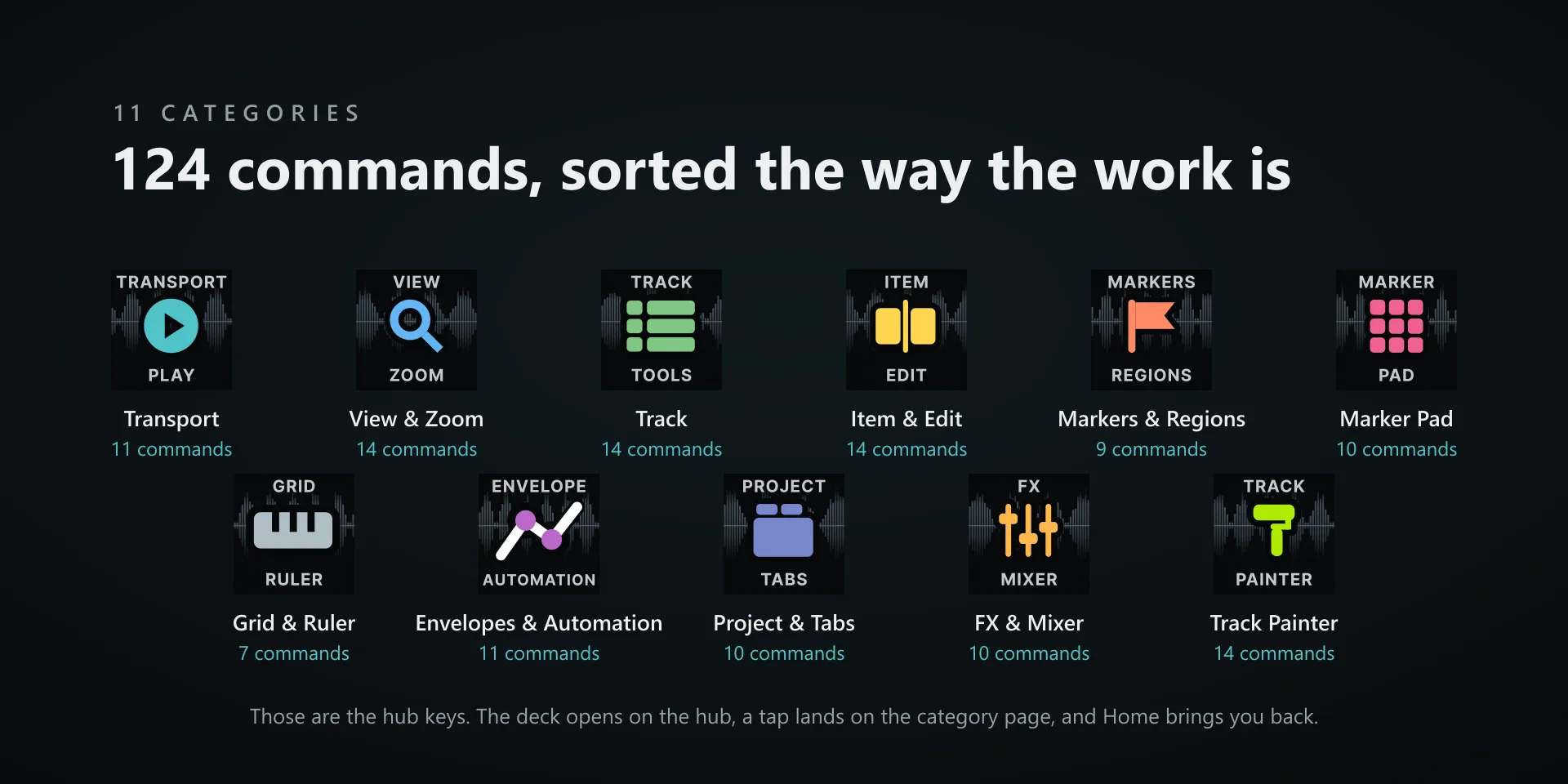
  • Every command has its own drawn key art, so the deck reads at a glance instead of listing shortcuts.

Read the full quick fixes, or see this plugin on the support hub.

Still stuck? Email [email protected] with the plugin name, your Stream Deck software version, and what you pressed versus what happened. A human answers.