PathfinderPrototyping · St. Paul MN

Video editing · Stream Deck plugin

Shotcut Edit Deck

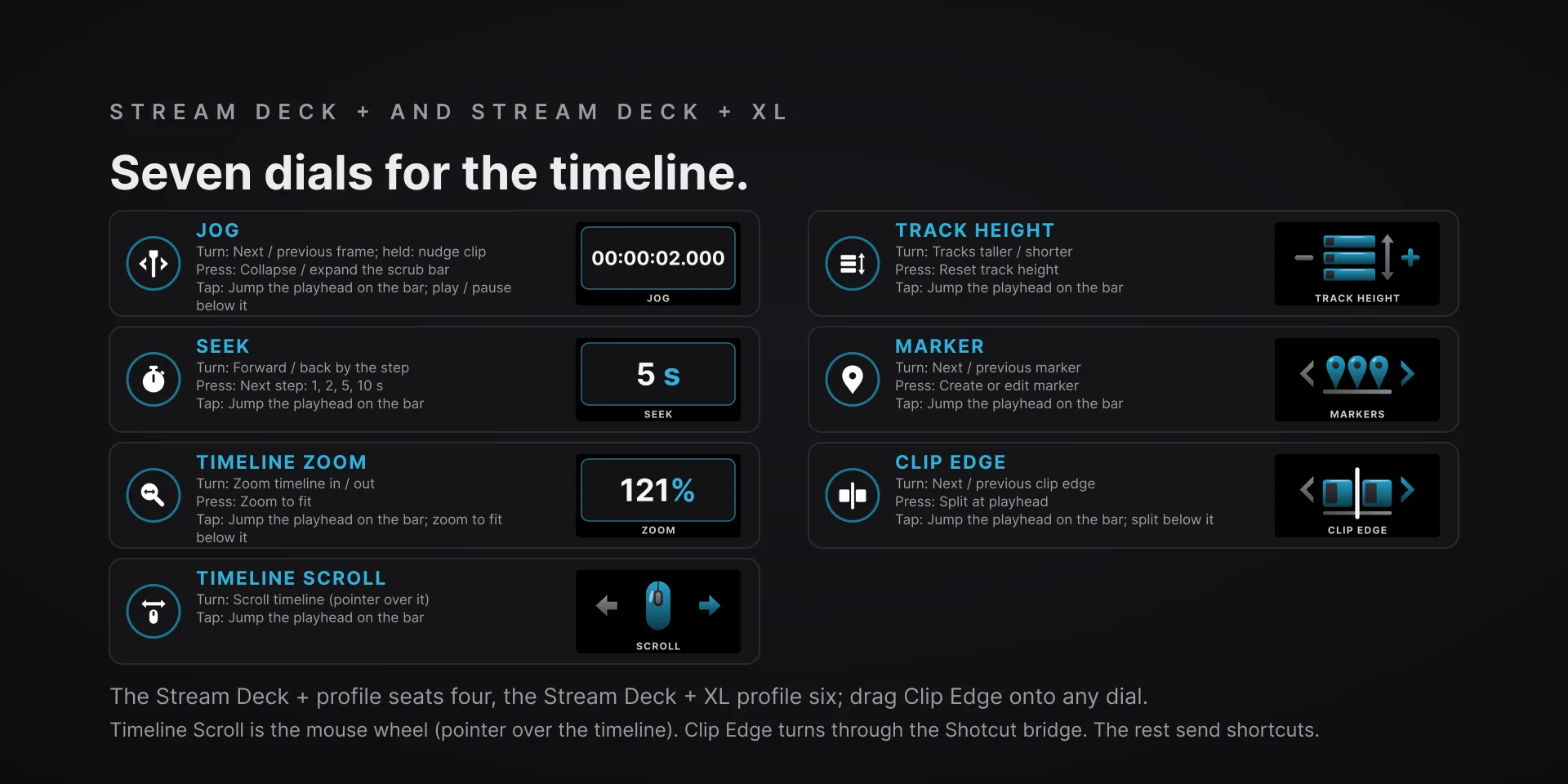
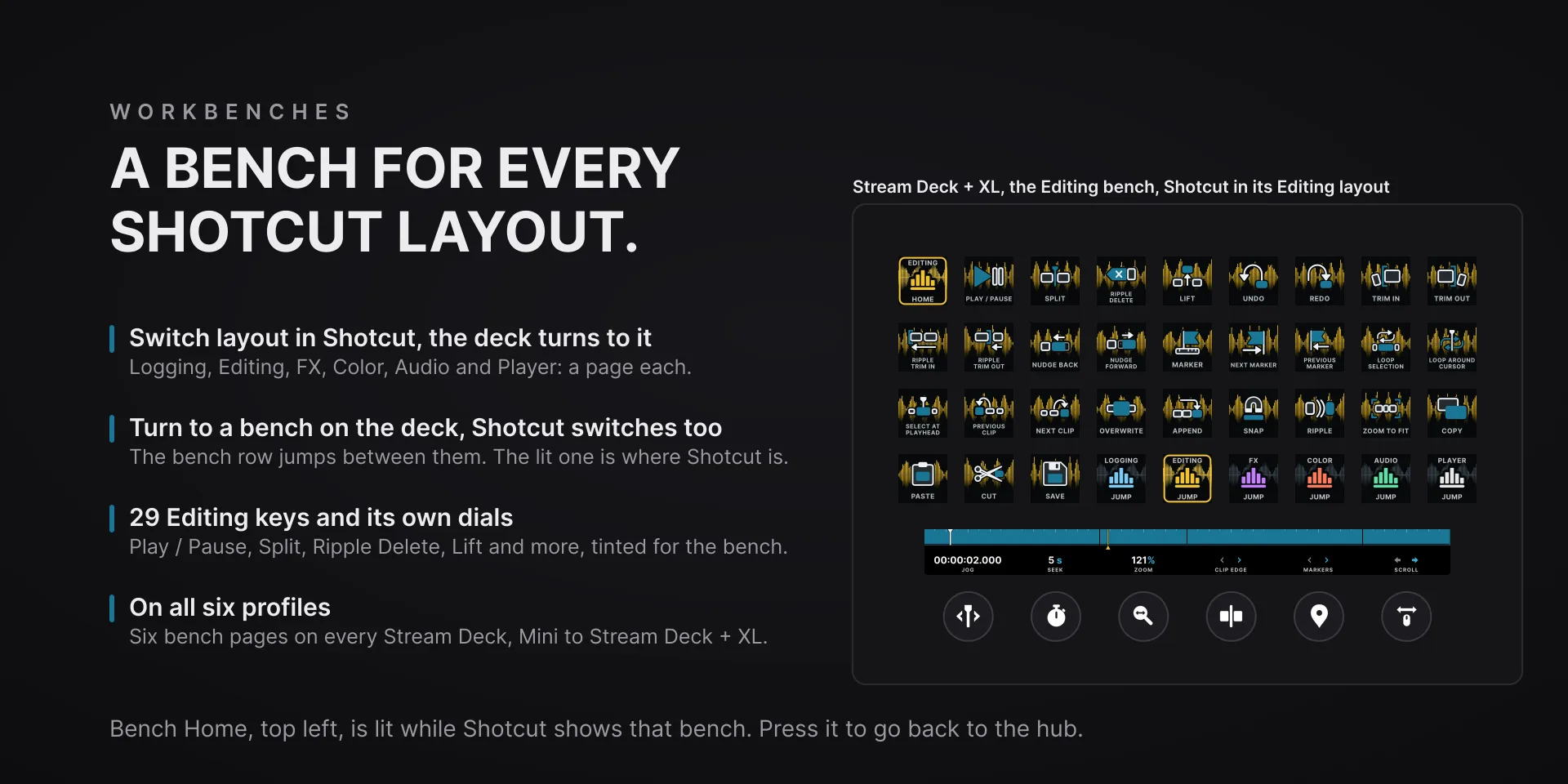
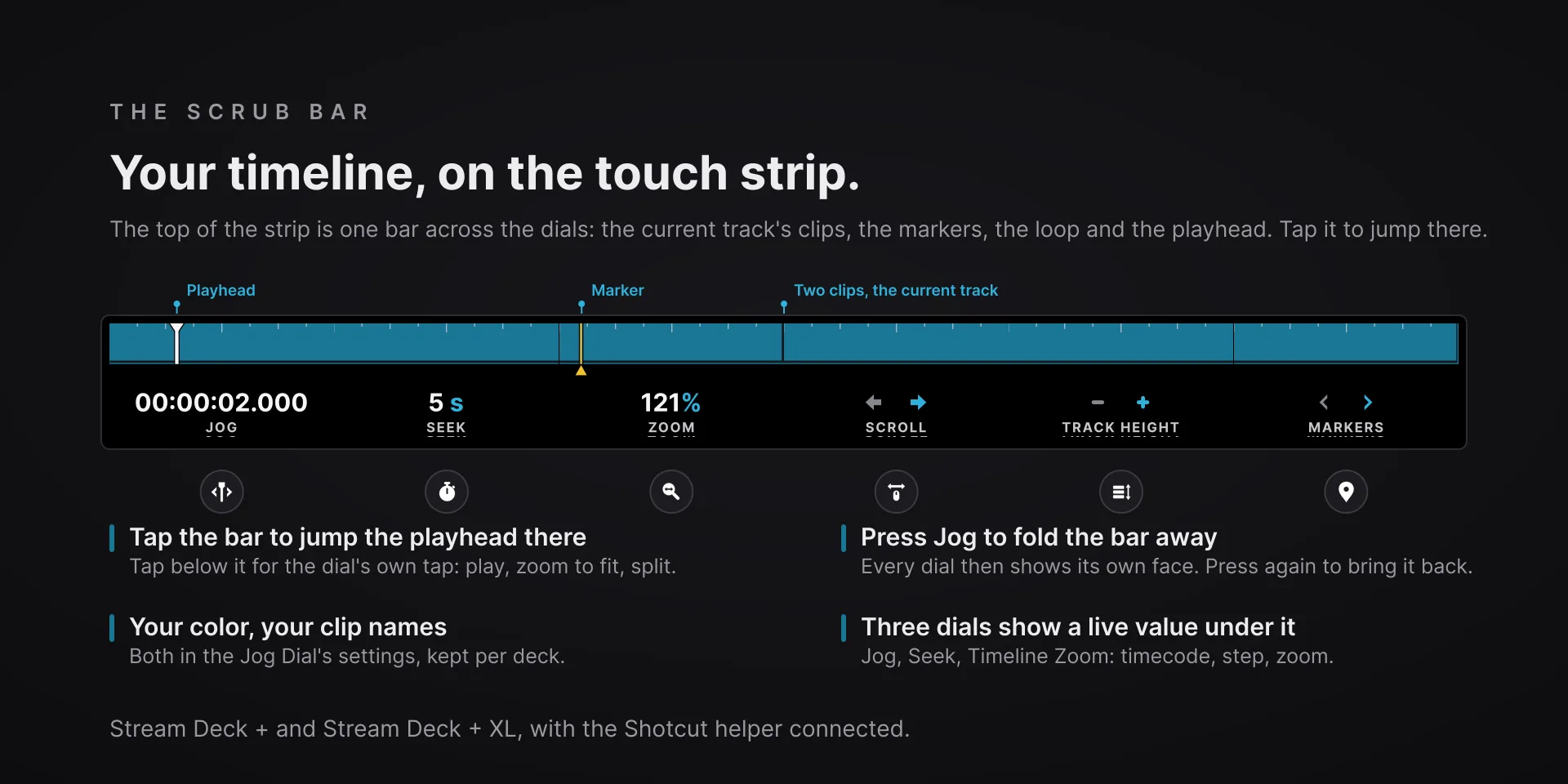
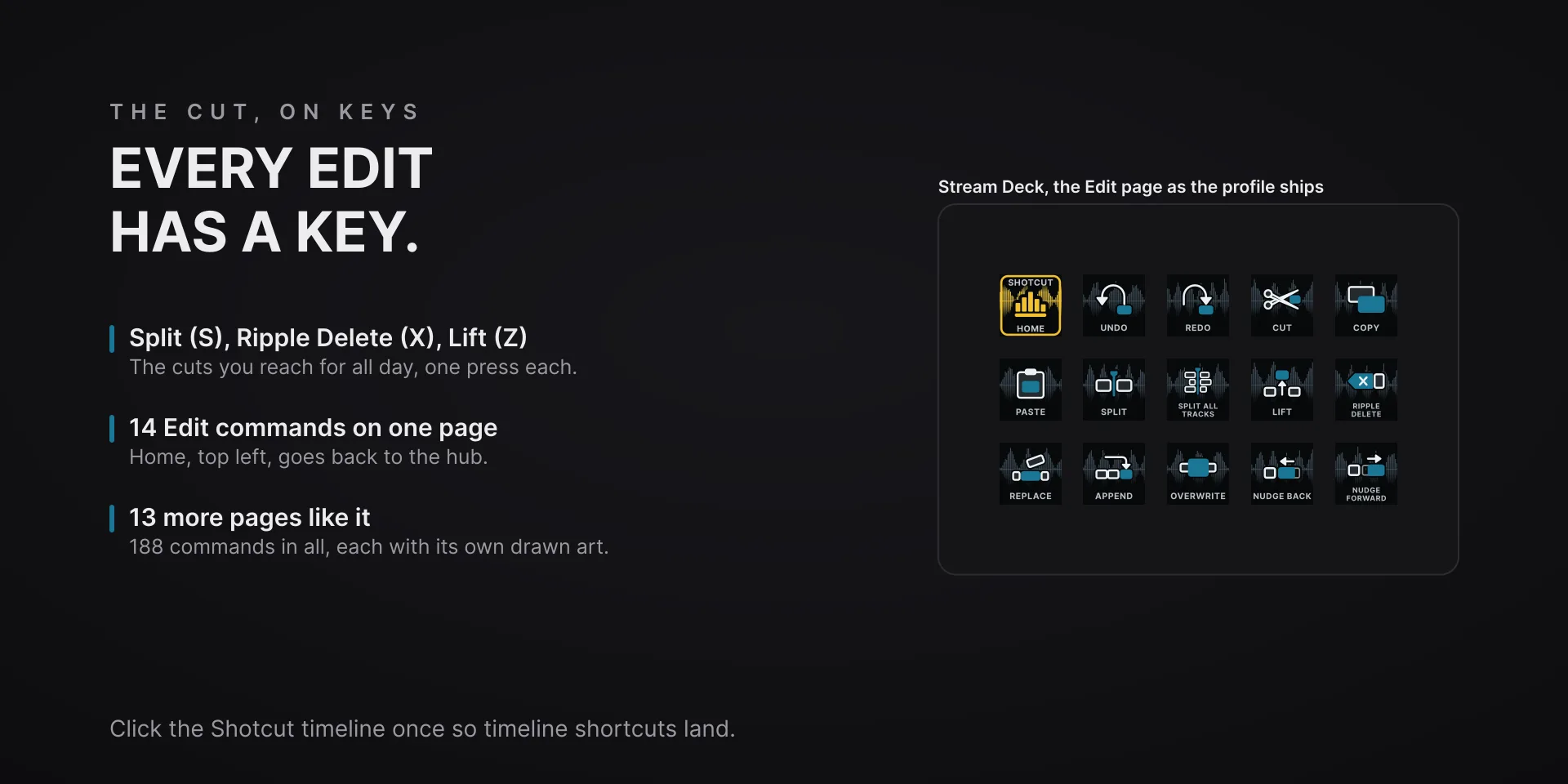
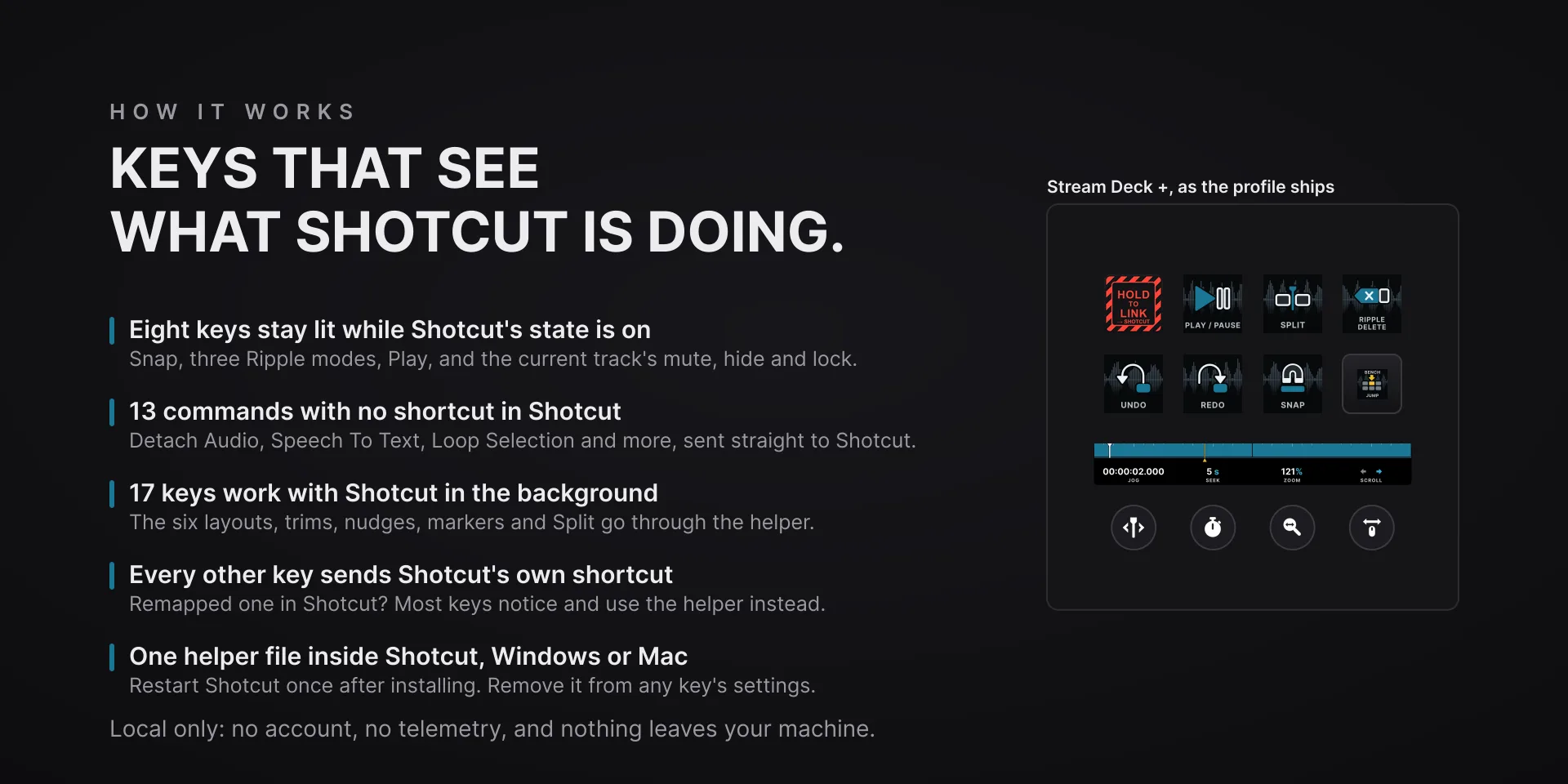
Most keys send Shotcut's own keyboard shortcuts. A small helper file the plugin puts in Shotcut's folder does the rest: eight keys stay lit while their state is on, the dials and the scrub bar show where you are, thirteen commands Shotcut gives no shortcut get keys of their own, and seventeen keys, from the six layouts to Split, work with Shotcut in the background.

Download Now

On the Elgato Marketplace

What it does

What you need

Shotcut 26.9.27 on Windows 10 or newer, or Shotcut 26.9.28 on macOS 13 or newer, the versions the plugin is tested against, and Stream Deck software 6.9 or newer. On a Mac the Stream Deck app needs Accessibility and control of System Events. Restart Shotcut once after installing. The dials and the scrub bar need a Stream Deck + or a Stream Deck + XL, and shortcut keys go to the window in front, so keep Shotcut there.

Support

Good to know

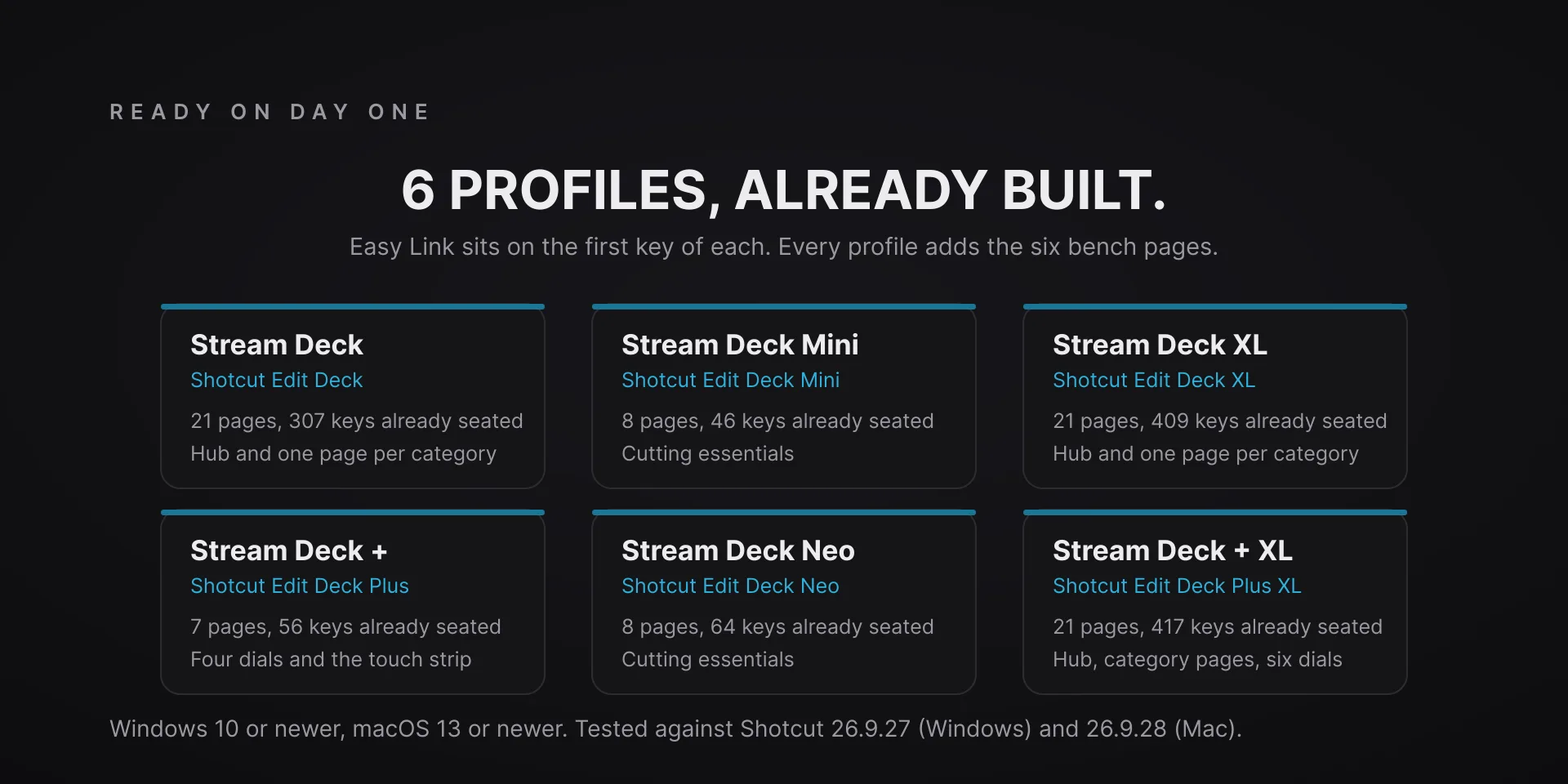
  • Tested against Shotcut 26.9.27 on Windows 10 or newer and Shotcut 26.9.28 on macOS 13 or newer, with Stream Deck software 6.9 or newer. Profiles are bundled for six decks: the 15-key Stream Deck, the Stream Deck +, the Stream Deck + XL, the 32-key Stream Deck XL, the Stream Deck Mini and the Stream Deck Neo. The dials and the scrub bar need a Stream Deck + or a Stream Deck + XL. On another Shotcut version the keys still send their shortcuts, and the lit keys and the scrub bar keep working unless Shotcut changed what it reports, but the thirteen no-shortcut commands may not work.
  • Restart Shotcut once after installing, and again after updating from 1.0. The lit keys, the dial readouts, the scrub bar and the no-shortcut keys run through a small helper file the plugin writes into Shotcut's folder, and Shotcut reads it only when it starts; until then every shortcut key works. If a key's settings say Shotcut has not run yet, open Shotcut once, click Install, then restart Shotcut. Coming from 1.0, the Stream Deck app keeps your old Shotcut Edit Deck profiles: delete them there to get the bench pages, and it offers the new ones the next time you add a Shotcut Edit Deck key or Easy Link brings Shotcut in.
  • On a Mac the Stream Deck app needs two permissions to type into Shotcut: Accessibility, and control of System Events, which macOS asks for as the plugin starts. Allow them with a real mouse or keyboard. If a key does nothing, open System Settings, Privacy & Security, and turn Stream Deck on under Accessibility and under Automation. Notes, Files, Filter Overlay and Select At Playhead go through the helper on a Mac, because macOS keeps their chords for itself, and alert without it; Notes and Files need Shotcut's menus in English.
  • Shortcut keys go to the window in front, so keep Shotcut there. The seventeen helper keys (the layouts, trims, nudges, markers and Split) work with Shotcut in the background, and type their shortcut while the helper is off. Remapped a shortcut in Shotcut? Most keys notice and use the helper instead; for the rest, click Capture key in the key's settings and press the new chord once. The Timeline Scroll dial turns the mouse wheel, so keep the pointer over the timeline, and the Clip Edge dial turns only while the helper is connected.
  • The no-shortcut keys act on what is selected in Shotcut, and without the helper they show an alert instead of doing nothing. Align To Reference and Speech To Text open Shotcut's own dialogs. Reset Layout To Default puts the current layout back to Shotcut's default with no prompt.
  • The plugin puts the helper, a pathfinder-shotcut-edit-deck folder, in extensions/filters under %LOCALAPPDATA%\Meltytech\Shotcut, or ~/Library/Application Support/Meltytech/Shotcut on a Mac, and a token that pairs the two, with each deck's dial choices, in %LOCALAPPDATA%\Pathfinder\shotcut-edit-deck, or ~/Library/Application Support/pathfinder/shotcut-edit-deck. While Shotcut is open, a small PowerShell or AppleScript process reads Shotcut's layout setting so the deck can follow it, and changes nothing. To remove them, click Remove under Shotcut bridge in any key's settings and delete both folders, right before uninstalling, because the plugin writes the helper again each time it starts. Local only: no account, no telemetry, and the helper talks only to 127.0.0.1.

True of every plugin we make

  • Every key carries the app's own shortcut for that command, and every key is remappable. Type your combination into the key's property inspector (its settings panel in the Stream Deck app) or click Capture and press it once. Where an app leaves a command unbound, the key still reaches it by the route that app exposes.
  • Keystrokes go to the front window and nothing steals focus, so keep the target app in front when you press.
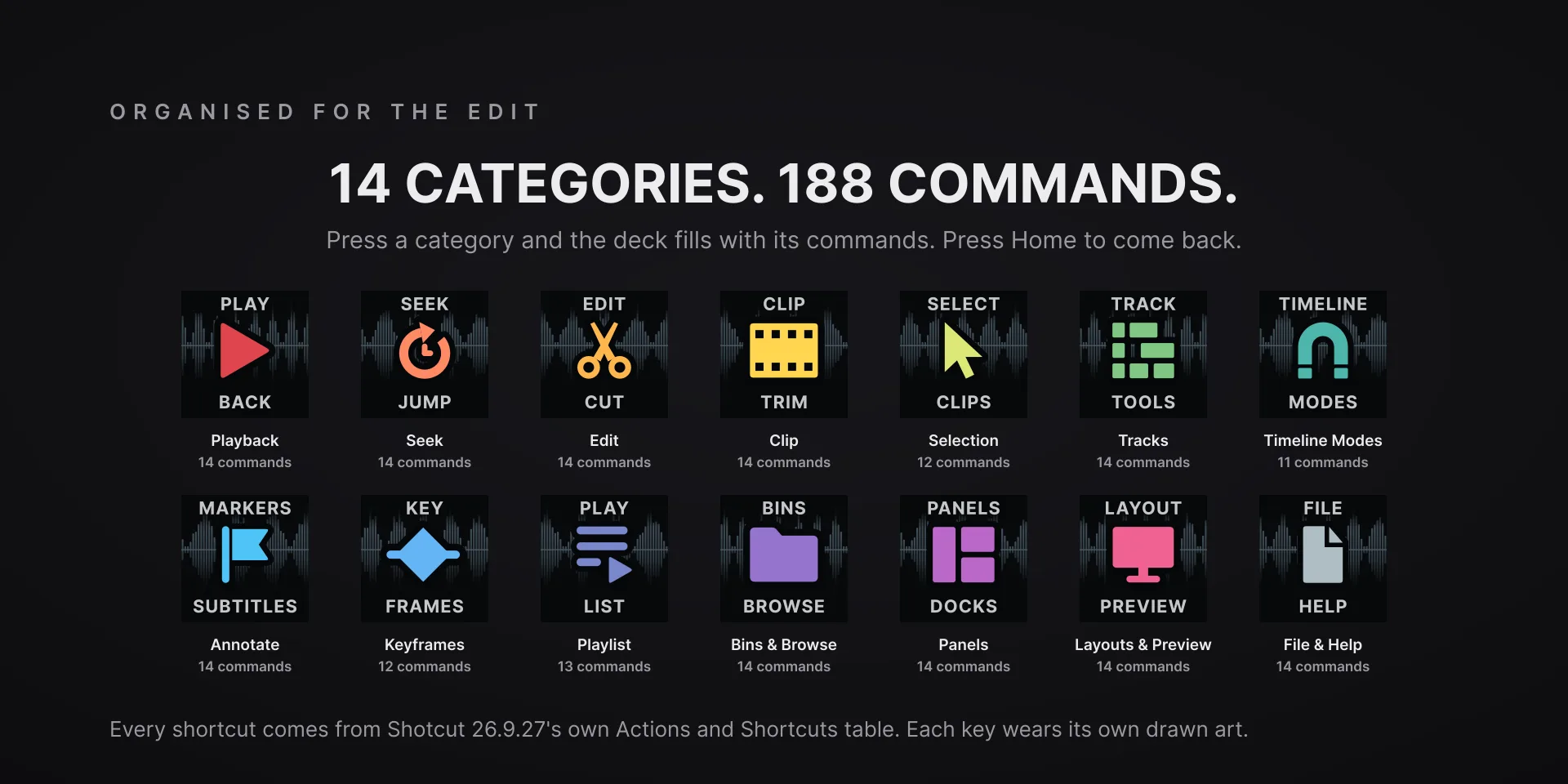
  • Every command has its own drawn key art, so the deck reads at a glance instead of listing shortcuts.

Read the full quick fixes, or see this plugin on the support hub.

Still stuck? Email [email protected] with the plugin name, your Stream Deck software version, and what you pressed versus what happened. A human answers.