PathfinderPrototyping · St. Paul MN

Audio capture · Stream Deck plugin

Sound Sampler

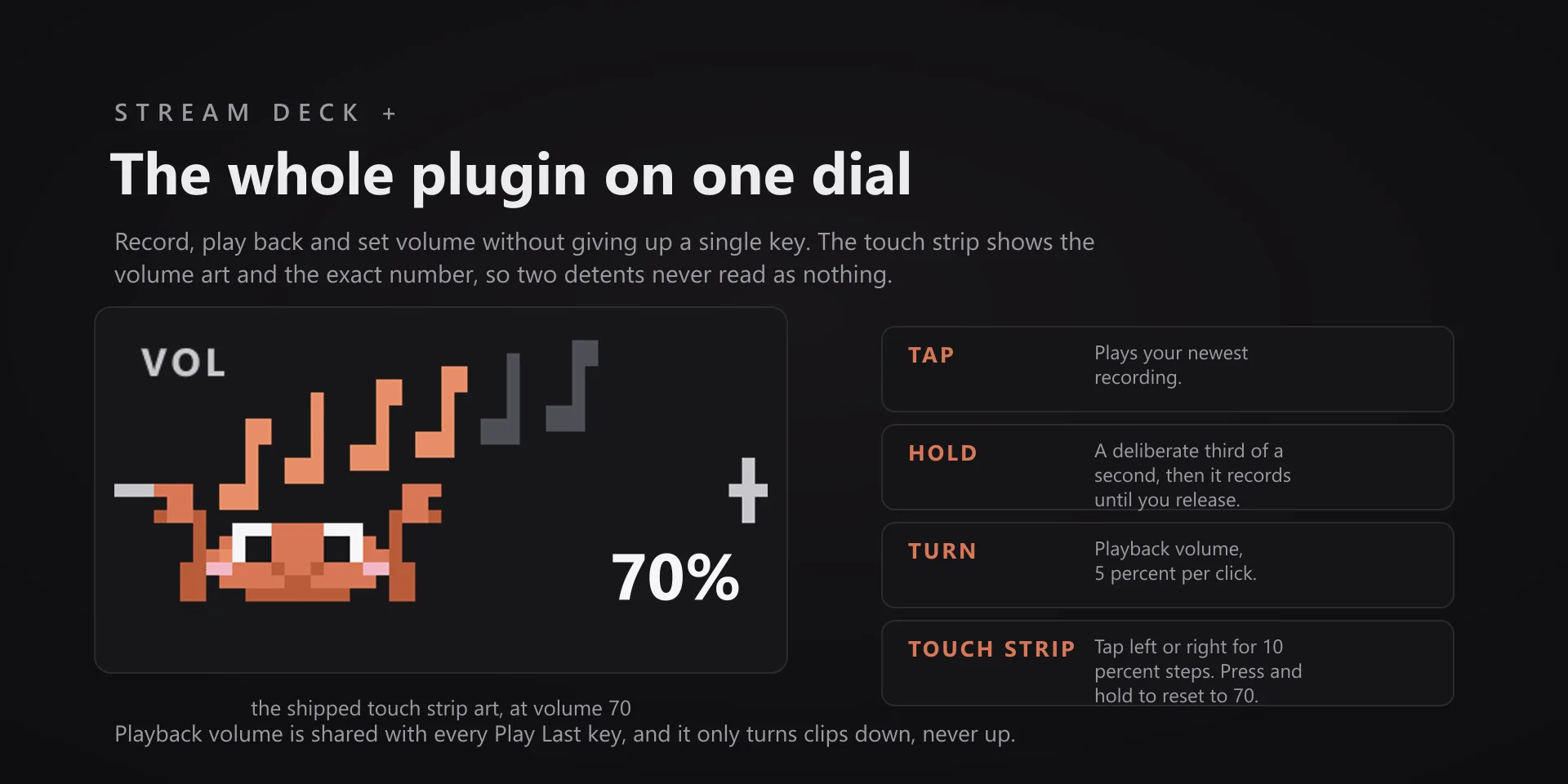
Any sound your PC can play can become the sound your deck makes. Hold a key while it plays, and it is captured, cleaned up, and ready to assign.

Download Now

Free on the Elgato Marketplace

What it does

What you need

Windows 10 or 11 and Stream Deck software 6.9 or newer. No target app to install, no virtual audio driver, no admin rights. The keys work on any Stream Deck; the Sampler Dial needs a Stream Deck +.

Support

Good to know

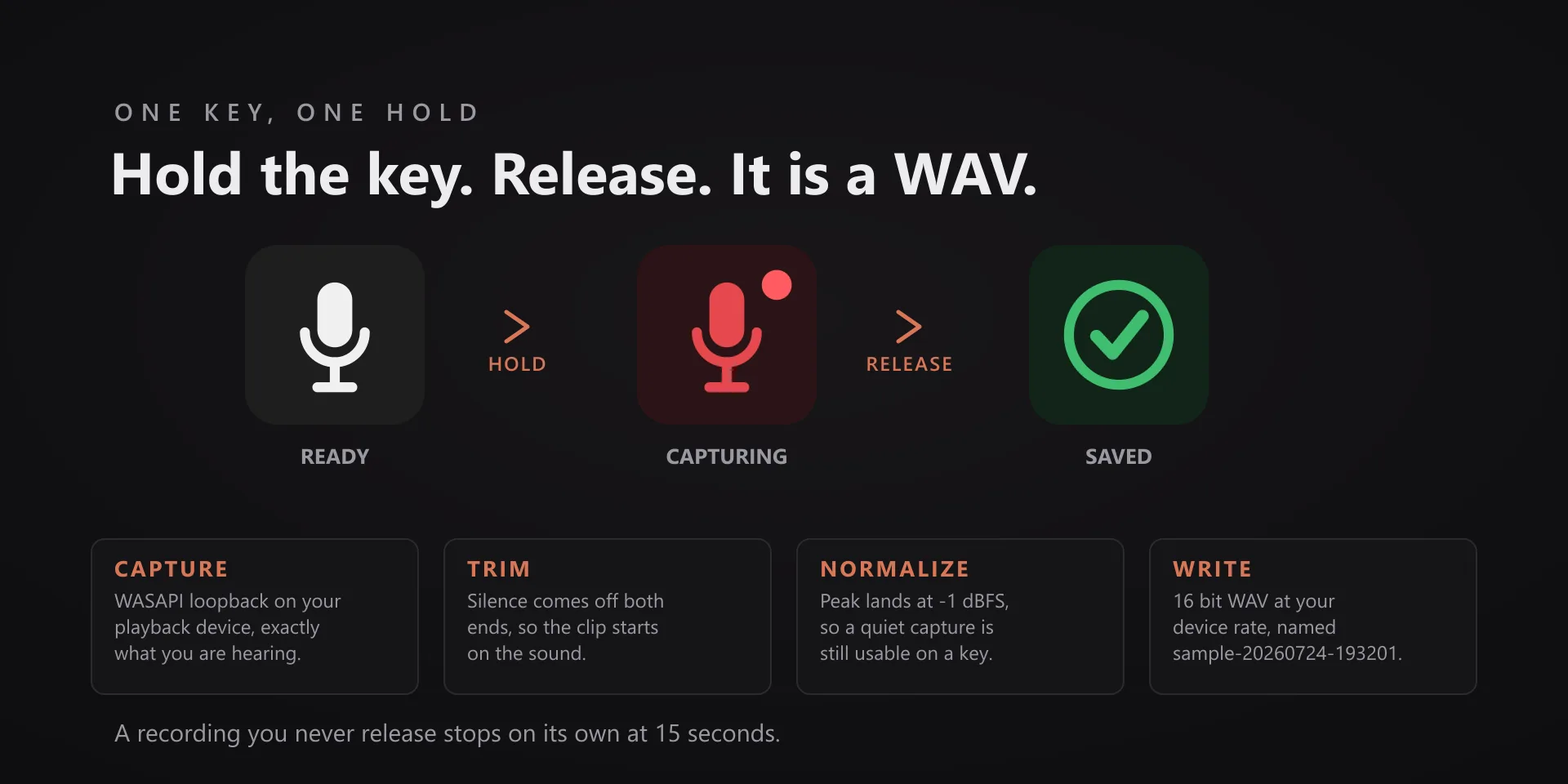
  • Hold Record to capture what your PC is playing, release to save. Play Last plays the newest clip so you can audition it from the deck. Open Folder opens the folder in Explorer. Clips land in Documents\Pathfinder Sounds as sample-YYYYMMDD-HHmmss.wav: 16-bit WAV, trimmed and peak normalized. A hold you never release stops itself at 15 seconds.
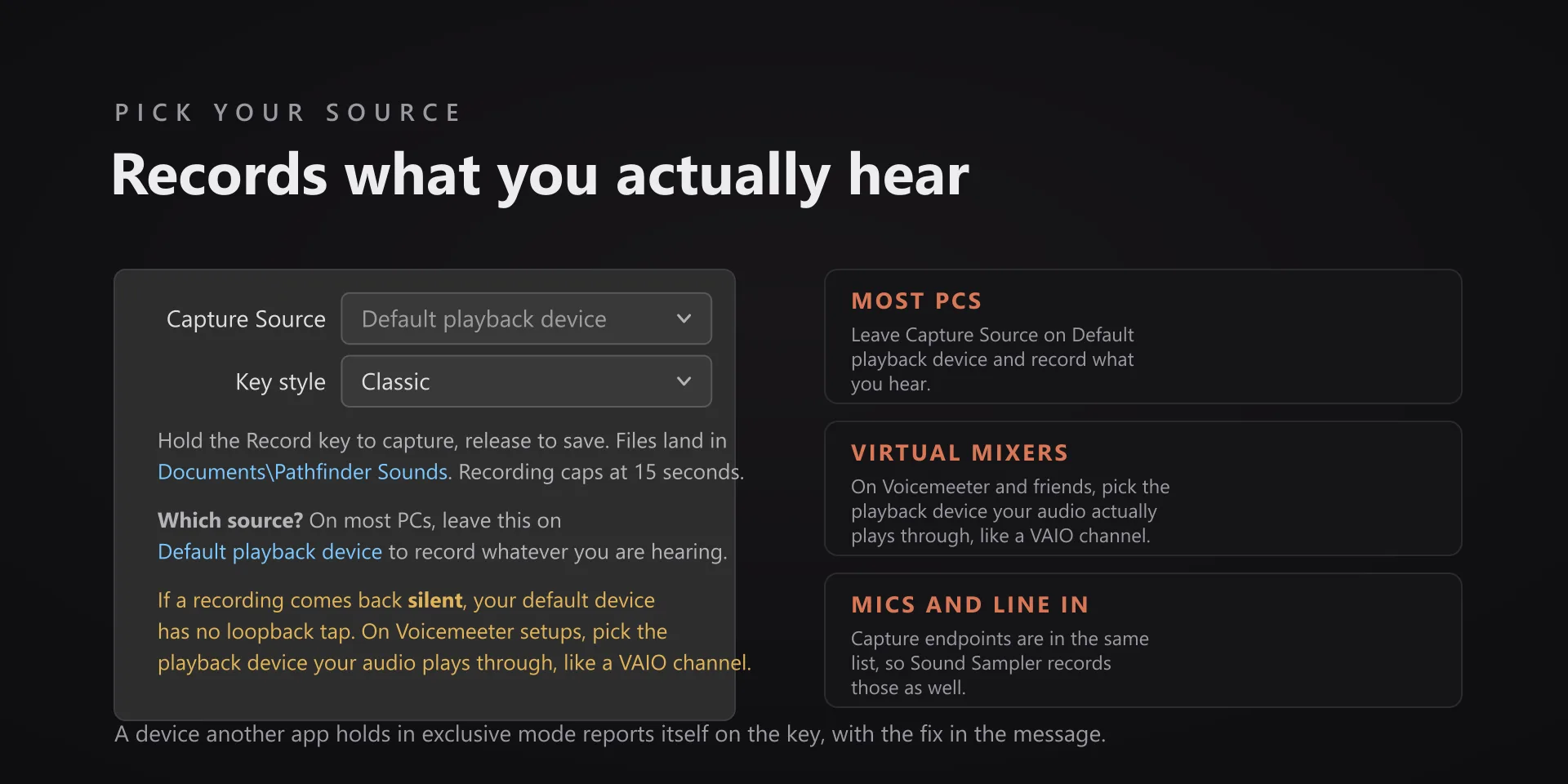
  • Picking the source. On a normal PC, leave Capture Source on Default playback device and record what you hear. On Voicemeeter or another virtual mixer, pick the playback device your audio actually plays through, for example a VAIO channel. An idle virtual channel records nothing. Capture inputs and microphones are in the same list, so those work too.
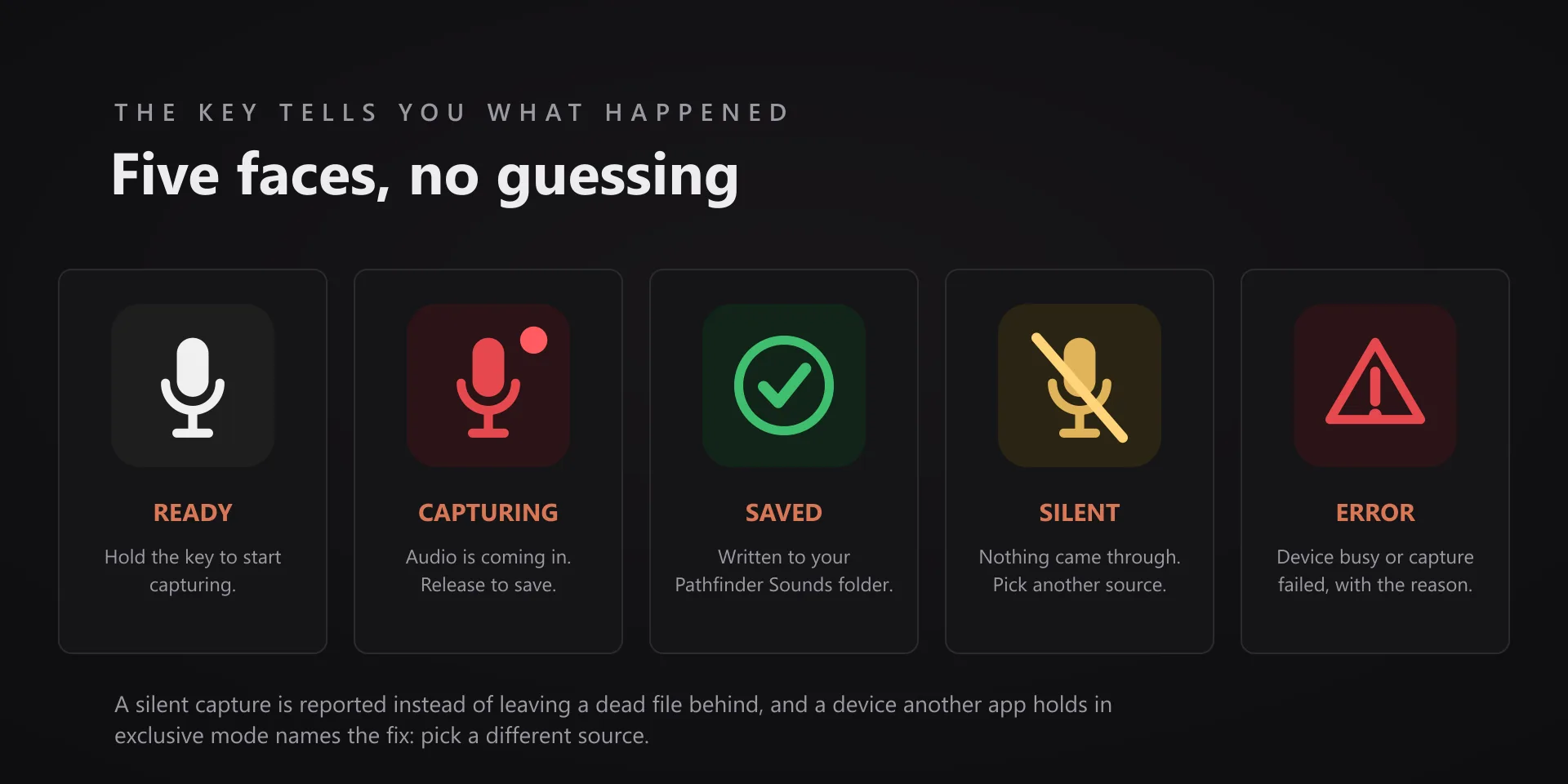
  • A silent result means no audio came through the device you picked, and the key says so rather than leaving a dead file behind. Play something through that device, or switch to the one your sound is really on.
  • Device is in use by another app (exclusive mode) means another program has claimed that endpoint. Pick a different source. On a Voicemeeter rig the physical outputs read this way because Voicemeeter holds them, so record the virtual channel instead.
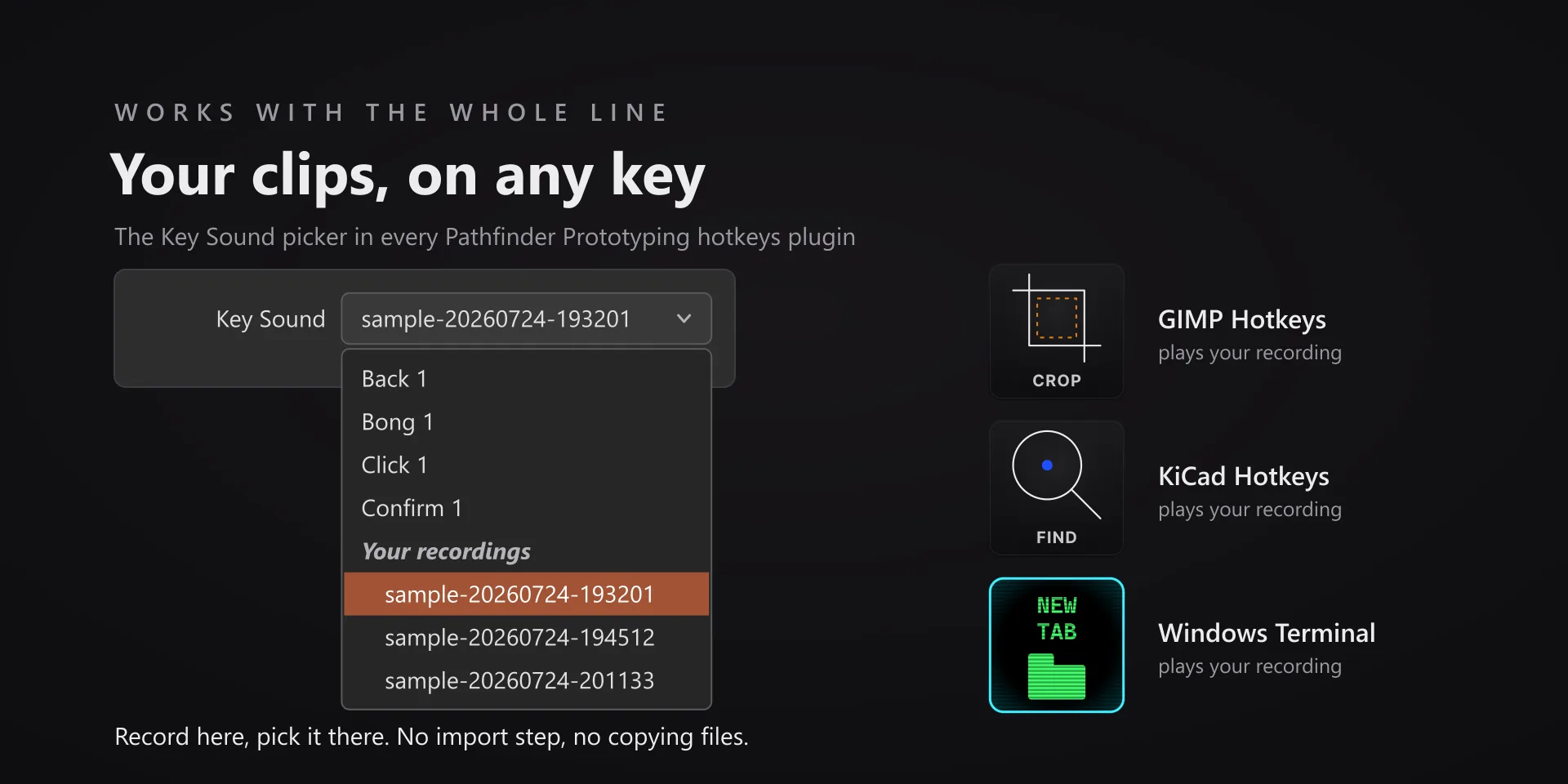
  • Recordings appear in the Key Sound picker of every Pathfinder Prototyping hotkeys plugin, grouped under Your recordings. There is no import step.
  • Windows 10 or 11 with Stream Deck software 6.9 or later, and no target app to install. No profile is bundled: place the actions wherever you want them.

True of every plugin we make

  • Every key ships with the app's stock default shortcut, and every key is remappable. Type your combination into the property inspector or click Capture and press it once.
  • Keystrokes go to the active window. The plugin never steals focus or targets a window, so keep the target app in front when you press.
  • Every command has its own drawn key art, so the deck reads at a glance instead of listing shortcuts.

Read the full quick fixes, or see this plugin on the support hub.

Still stuck? Email [email protected] with the plugin name, your Stream Deck software version, and what you pressed versus what happened. A human answers.